第46章:推し活グッズ管理②(集計・並び替え・条件検索)📊✨
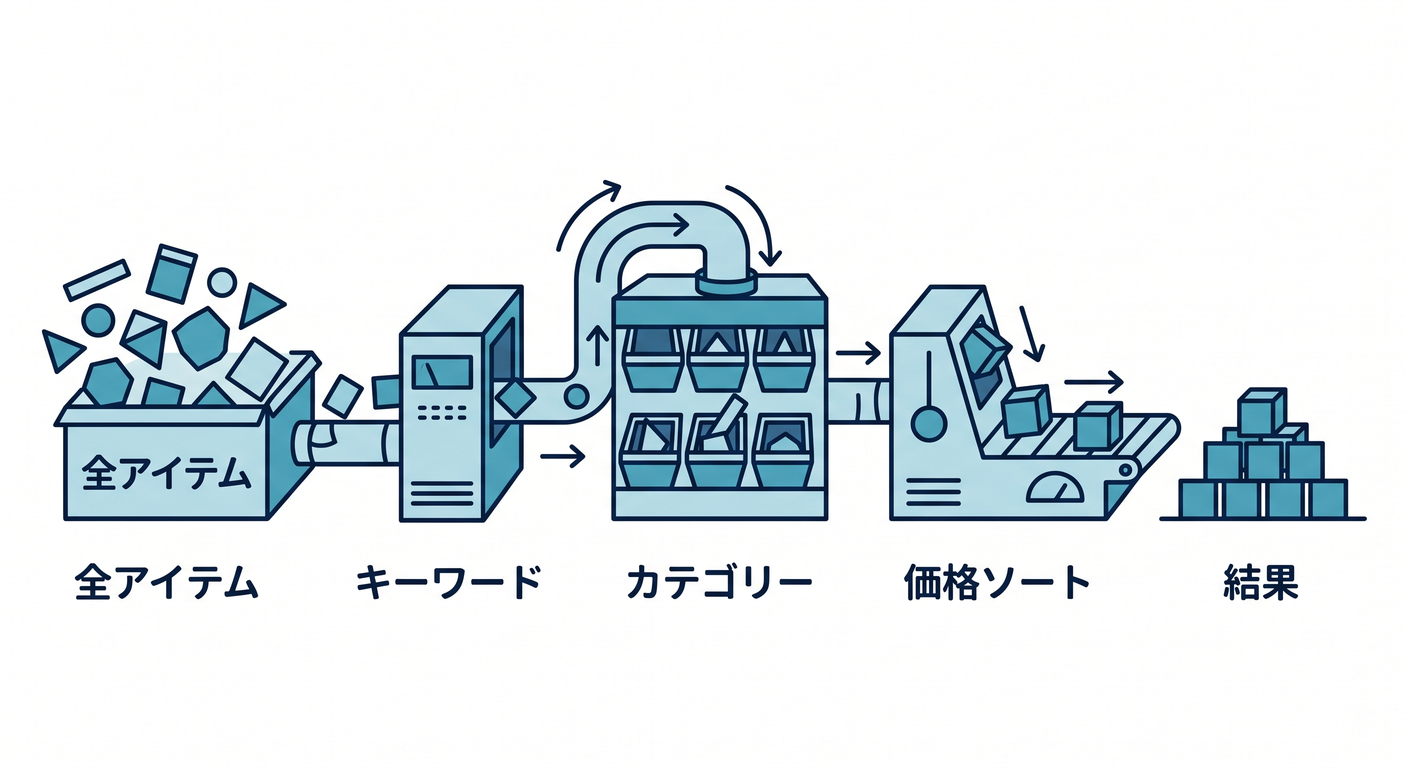
この章は「仕様が増えても、テストで安心して守れるようになる」ための山場だよ〜!🧪💪 集計(合計・カテゴリ別)、並び替え(価格順・日付順)、条件検索(キーワード+カテゴリ+価格帯…)を、TDDで増築していくよ😊✨
ちなみに本日時点の最新版だと、.NET 10 の最新パッチは 10.0.2(2026-01-13)、xUnit v3 は 3.2.2 だよ〜📌 (Microsoft)
この章のゴール🎯✨
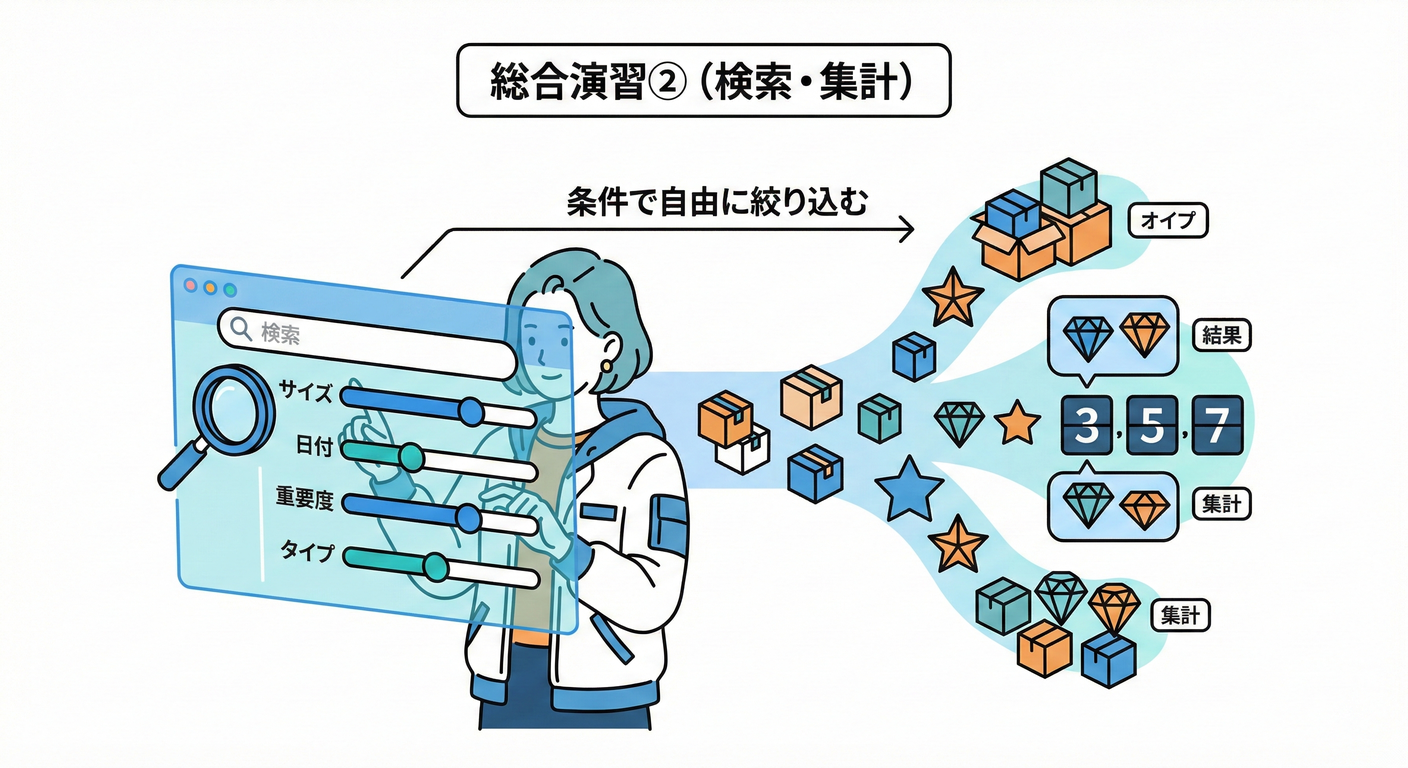
最後にこうなってたら勝ち!🎉
-
✅ 集計できる
- 合計数量 / 合計金額
- カテゴリ別数量(CD何個、アクスタ何個…)
-
✅ 並び替えできる
- 価格順、購入日順、名前順…(昇順/降順)
-
✅ 条件検索できる
- キーワード(部分一致)
- カテゴリ
- 価格帯(Min/Max)
- そして… **組み合わせ(AND)**が壊れない
-
✅ テストが読み物みたいに分かりやすい📘✨(=将来の自分が助かる)
今日の作戦(TDDの進め方)🚦🧠
この章は「機能が増える」から、1回で全部やろうとすると爆発しがち😇💥 なので、順番はこれがおすすめ!
- 集計(合計)➡️ 小さいテストから🧾
- 集計(カテゴリ別)➡️ GroupByで広げる📦
- 並び替え ➡️ Sortキーを1つずつ追加🔃
- 条件検索 ➡️ フィルタを1種類ずつ追加🔍
- 組み合わせ ➡️ パラメータ化テストで守る🛡️✨
まずは題材の形をそろえる(最低限)🧸
ここでは「UIやDBは出さない」で、純粋ロジックだけを育てるよ🧪 (純粋ロジック=速い=何度でも回せる=TDD向き⚡️)
モデル(例)📦
public sealed record GoodsItem(
    Guid Id,
    string Name,
    string Category,
    decimal UnitPrice,
    int Quantity,
    DateOnly PurchasedOn
);
テスト用のサンプル工場も作っちゃうと超楽😊✨
public static class GoodsItemSamples
{
    public static GoodsItem Item(
        string name,
        string category,
        decimal unitPrice,
        int quantity = 1,
        DateOnly? purchasedOn = null)
        => new(
            Id: Guid.NewGuid(),
            Name: name,
            Category: category,
            UnitPrice: unitPrice,
            Quantity: quantity,
            PurchasedOn: purchasedOn ?? new DateOnly(2026, 1, 1)
        );

    public static IReadOnlyList<GoodsItem> Mixed() => new List<GoodsItem>
    {
        Item("アクスタA", "アクスタ", 1800m, quantity: 2, purchasedOn: new(2026, 1, 3)),
        Item("CDシングル", "CD", 1200m, quantity: 1, purchasedOn: new(2026, 1, 2)),
        Item("ペンライト", "ライブ", 3500m, quantity: 1, purchasedOn: new(2026, 1, 5)),
        Item("アクスタB", "アクスタ", 2000m, quantity: 1, purchasedOn: new(2026, 1, 4)),
        Item("トートバッグ", "ライブ", 2800m, quantity: 1, purchasedOn: new(2026, 1, 1)),
    };
}
ステップ1:集計(合計数量・合計金額)🧾✨
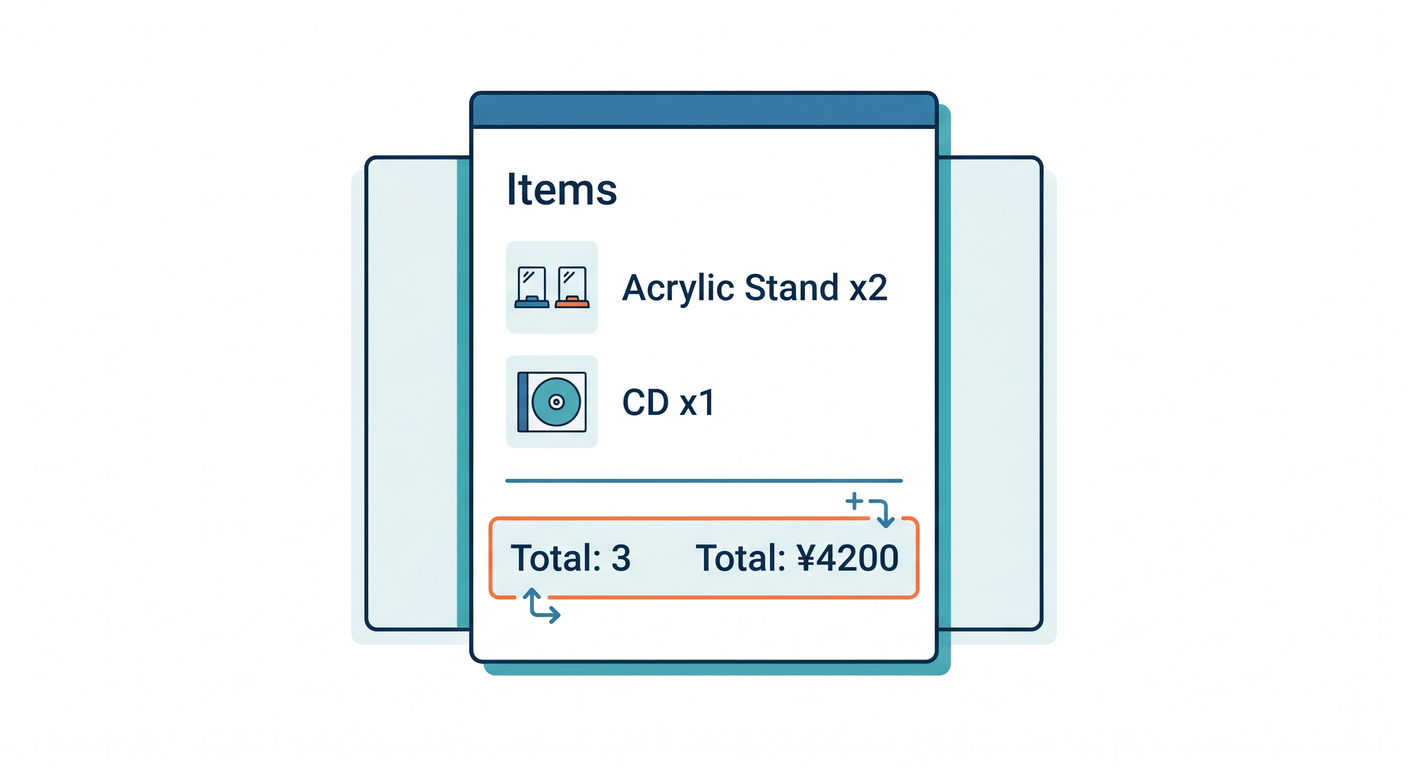
1-1. まずテスト(Red)🔴
using Xunit;

public class GoodsSummaryTests
{
    [Fact]
    public void TotalQuantity_and_TotalSpend_are_calculated()
    {
        var items = new[]
        {
            GoodsItemSamples.Item("アクスタA", "アクスタ", 1800m, quantity: 2),
            GoodsItemSamples.Item("CDシングル", "CD", 1200m, quantity: 1),
        };

        var summary = GoodsSummary.From(items);

        Assert.Equal(3, summary.TotalQuantity);
        Assert.Equal(1800m * 2 + 1200m * 1, summary.TotalSpend);
    }
}
1-2. 最小実装(Green)🟢
public sealed record GoodsSummary(
    int TotalQuantity,
    decimal TotalSpend,
    IReadOnlyDictionary<string, int> QuantityByCategory
)
{
    public static GoodsSummary From(IEnumerable<GoodsItem> items)
    {
        var list = items.ToList();

        var totalQuantity = list.Sum(x => x.Quantity);
        var totalSpend = list.Sum(x => x.UnitPrice * x.Quantity);

        return new GoodsSummary(
            TotalQuantity: totalQuantity,
            TotalSpend: totalSpend,
            QuantityByCategory: new Dictionary<string, int>()
        );
    }
}
まだカテゴリ別は空でOK!まず合計を通すのが大事😊👌
ステップ2:集計(カテゴリ別)📦✨
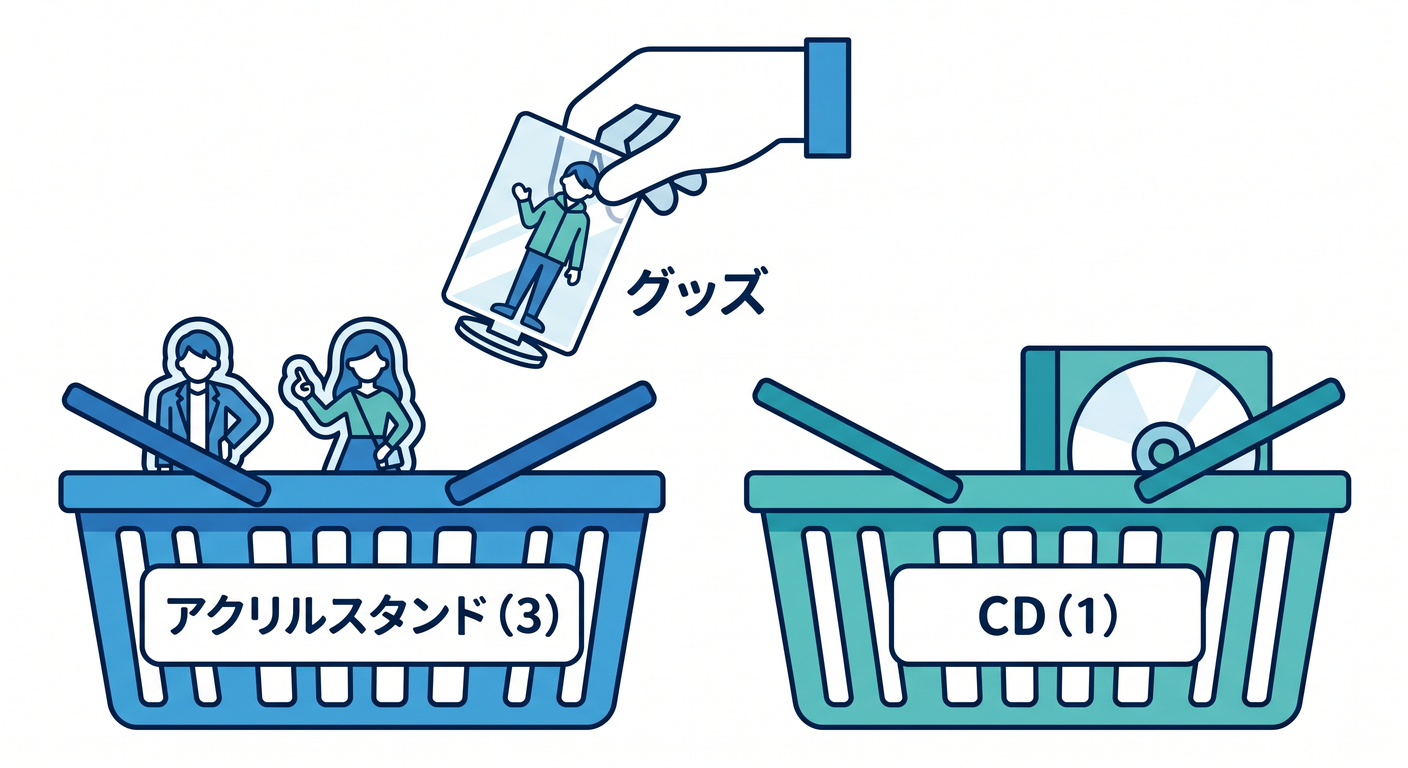
2-1. テスト追加(Red)🔴
[Fact]
public void Quantity_is_grouped_by_category()
{
    var items = new[]
    {
        GoodsItemSamples.Item("アクスタA", "アクスタ", 1800m, quantity: 2),
        GoodsItemSamples.Item("アクスタB", "アクスタ", 2000m, quantity: 1),
        GoodsItemSamples.Item("CDシングル", "CD", 1200m, quantity: 1),
    };

    var summary = GoodsSummary.From(items);

    Assert.Equal(3, summary.QuantityByCategory["アクスタ"]);
    Assert.Equal(1, summary.QuantityByCategory["CD"]);
}
2-2. 実装(Green)🟢
public static GoodsSummary From(IEnumerable<GoodsItem> items)
{
    var list = items.ToList();

    var totalQuantity = list.Sum(x => x.Quantity);
    var totalSpend = list.Sum(x => x.UnitPrice * x.Quantity);

    var byCategory = list
        .GroupBy(x => x.Category)
        .ToDictionary(
            g => g.Key,
            g => g.Sum(x => x.Quantity),
            StringComparer.OrdinalIgnoreCase
        );

    return new GoodsSummary(totalQuantity, totalSpend, byCategory);
}
ポイント:StringComparer.OrdinalIgnoreCase を入れておくと、将来ちょっと強い💪✨
ステップ3:並び替え(Sort)🔃✨
3-1. まず「並び替え指定」を型にする🧷
public enum GoodsSortKey { None, PurchasedOn, Name, UnitPrice, Quantity }
public enum SortDirection { Asc, Desc }

public sealed record GoodsSort(GoodsSortKey Key, SortDirection Direction)
{
    public static GoodsSort None => new(GoodsSortKey.None, SortDirection.Asc);
}

public sealed record GoodsQuery(
    string? Keyword = null,
    string? Category = null,
    decimal? MinUnitPrice = null,
    decimal? MaxUnitPrice = null,
    GoodsSort? Sort = null
);
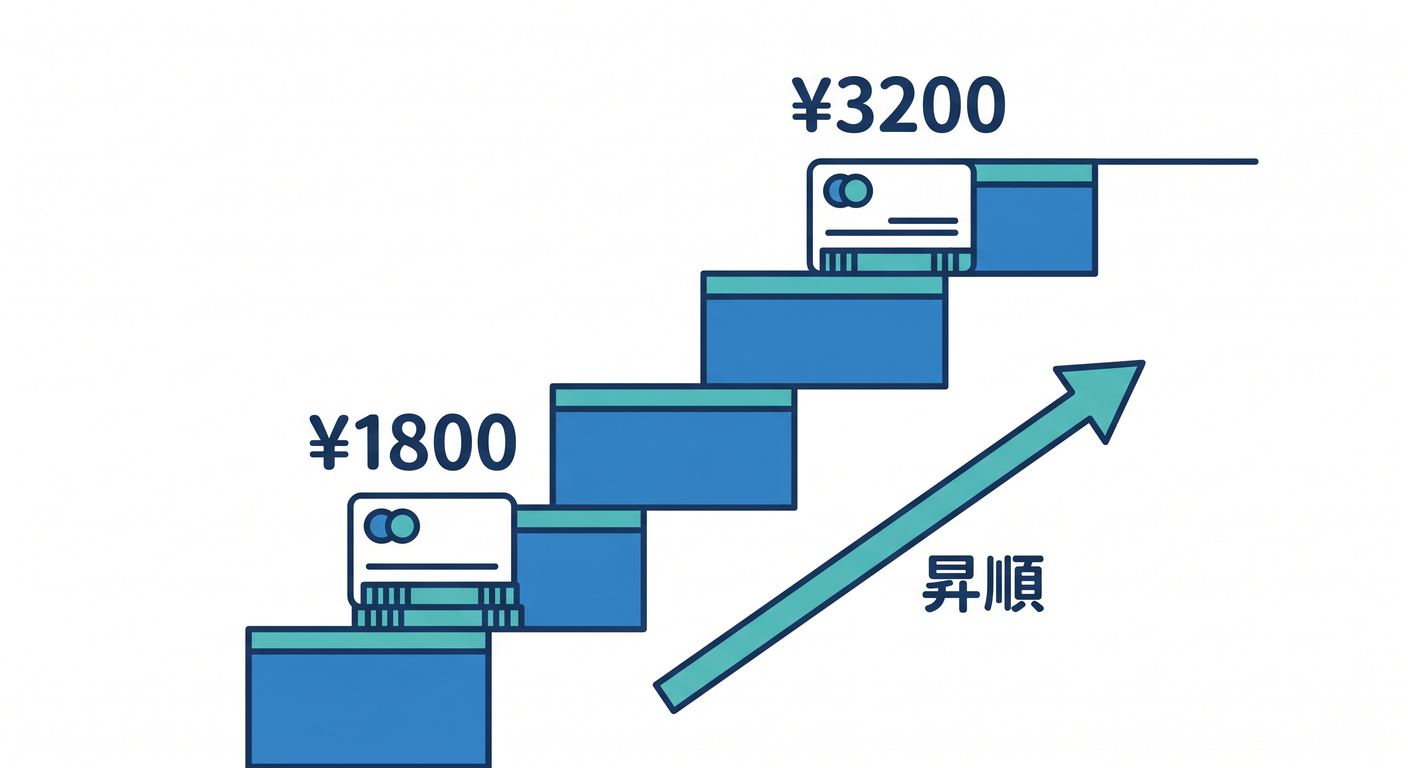
3-2. テスト(価格の昇順)🔴
public class GoodsSortTests
{
    [Fact]
    public void Sorts_by_unit_price_ascending()
    {
        var items = new[]
        {
            GoodsItemSamples.Item("高い", "CD", 3200m, purchasedOn: new(2026, 1, 2)),
            GoodsItemSamples.Item("安い", "アクスタ", 1800m, purchasedOn: new(2026, 1, 3)),
        };

        var query = new GoodsQuery(Sort: new GoodsSort(GoodsSortKey.UnitPrice, SortDirection.Asc));

        var result = GoodsSearch.Run(items, query).Select(x => x.Name).ToArray();

        Assert.Equal(new[] { "安い", "高い" }, result);
    }
}
3-3. 実装(Green)🟢
public static class GoodsSearch
{
    public static IEnumerable<GoodsItem> Run(IEnumerable<GoodsItem> items, GoodsQuery query)
    {
        var q = items;

        // ここではまだフィルタ無しでOK(あとで足す)
        q = ApplySort(q, query.Sort ?? GoodsSort.None);

        return q;
    }

    private static IEnumerable<GoodsItem> ApplySort(IEnumerable<GoodsItem> items, GoodsSort sort)
        => (sort.Key, sort.Direction) switch
        {
            (GoodsSortKey.UnitPrice, SortDirection.Asc) => items.OrderBy(x => x.UnitPrice),
            (GoodsSortKey.UnitPrice, SortDirection.Desc) => items.OrderByDescending(x => x.UnitPrice),

            _ => items
        };
}
ここまでで「並び替えの骨格」ができたよ〜😊✨ 次は購入日や名前も テスト→switchに1行追加 で増やせる👍
ステップ4:条件検索(フィルタ)🔍✨
4-1. キーワード検索(部分一致)から📝
テスト(Red)🔴
public class GoodsFilterTests
{
    [Fact]
    public void Filters_by_keyword_case_insensitive()
    {
        var items = GoodsItemSamples.Mixed();

        var query = new GoodsQuery(Keyword: "アクスタ");

        var result = GoodsSearch.Run(items, query).Select(x => x.Name).ToArray();

        Assert.Equal(new[] { "アクスタA", "アクスタB" }, result);
    }
}
実装(Green)🟢
public static IEnumerable<GoodsItem> Run(IEnumerable<GoodsItem> items, GoodsQuery query)
{
    var q = items;

    if (!string.IsNullOrWhiteSpace(query.Keyword))
    {
        q = q.Where(x => x.Name.Contains(query.Keyword, StringComparison.OrdinalIgnoreCase));
    }

    q = ApplySort(q, query.Sort ?? GoodsSort.None);
    return q;
}
4-2. カテゴリ絞り込み追加📦
テスト(Red)🔴
[Fact]
public void Filters_by_category()
{
    var items = GoodsItemSamples.Mixed();

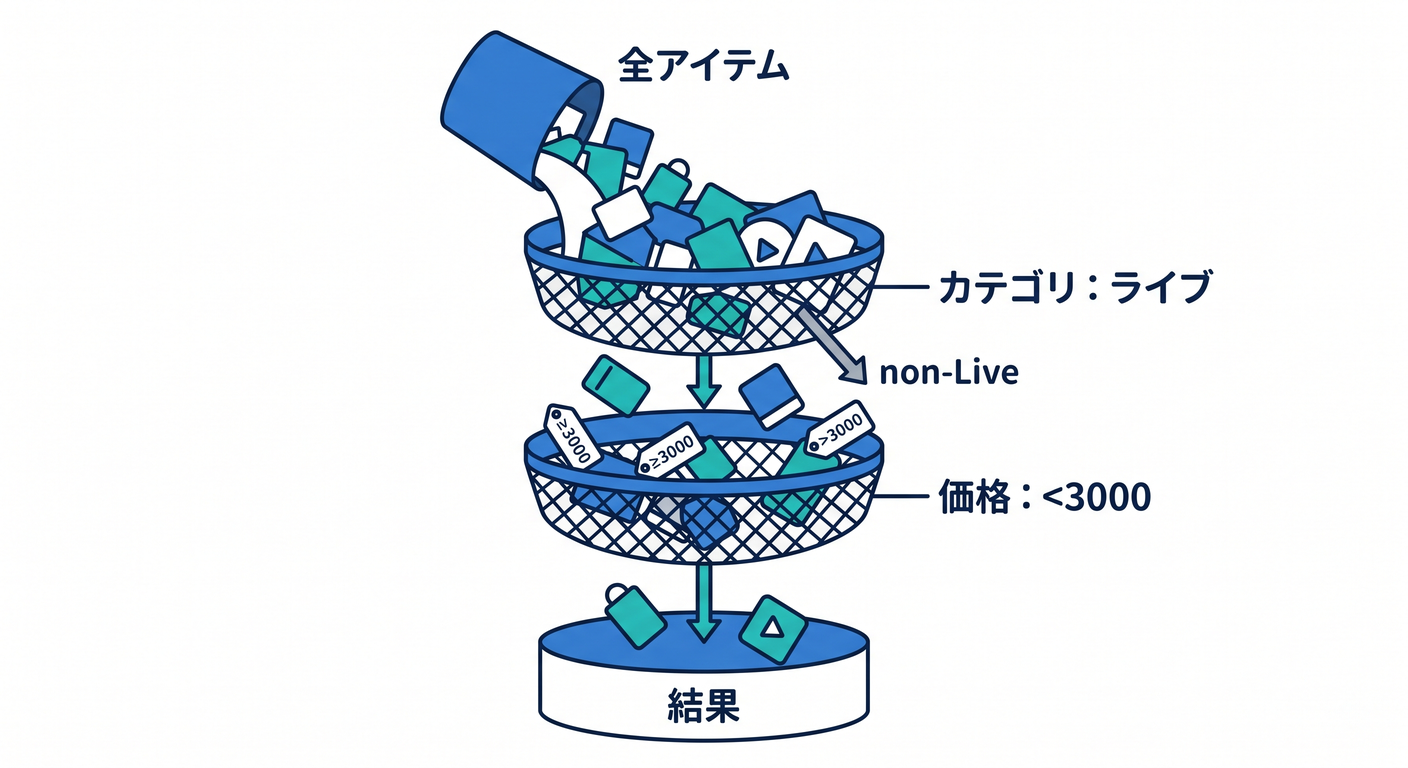
    var query = new GoodsQuery(Category: "ライブ");

    var result = GoodsSearch.Run(items, query).Select(x => x.Name).ToArray();

    Assert.Equal(new[] { "ペンライト", "トートバッグ" }, result);
}
実装(Green)🟢
if (!string.IsNullOrWhiteSpace(query.Category))
{
    q = q.Where(x => string.Equals(x.Category, query.Category, StringComparison.OrdinalIgnoreCase));
}
4-3. 価格帯(Min/Max)追加💰
「境界」が事故りやすいから、ここがテストの出番😇🛡️
テスト(Red)🔴
[Fact]
public void Filters_by_price_range_inclusive()
{
    var items = GoodsItemSamples.Mixed();

    var query = new GoodsQuery(MinUnitPrice: 1800m, MaxUnitPrice: 2800m);

    var result = GoodsSearch.Run(items, query).Select(x => x.Name).ToArray();

    Assert.Equal(new[] { "アクスタA", "アクスタB", "トートバッグ" }, result);
}
実装(Green)🟢
if (query.MinUnitPrice is not null)
{
    q = q.Where(x => x.UnitPrice >= query.MinUnitPrice.Value);
}

if (query.MaxUnitPrice is not null)
{
    q = q.Where(x => x.UnitPrice <= query.MaxUnitPrice.Value);
}
ステップ5:組み合わせ(AND)をパラメータ化で守る🛡️✨
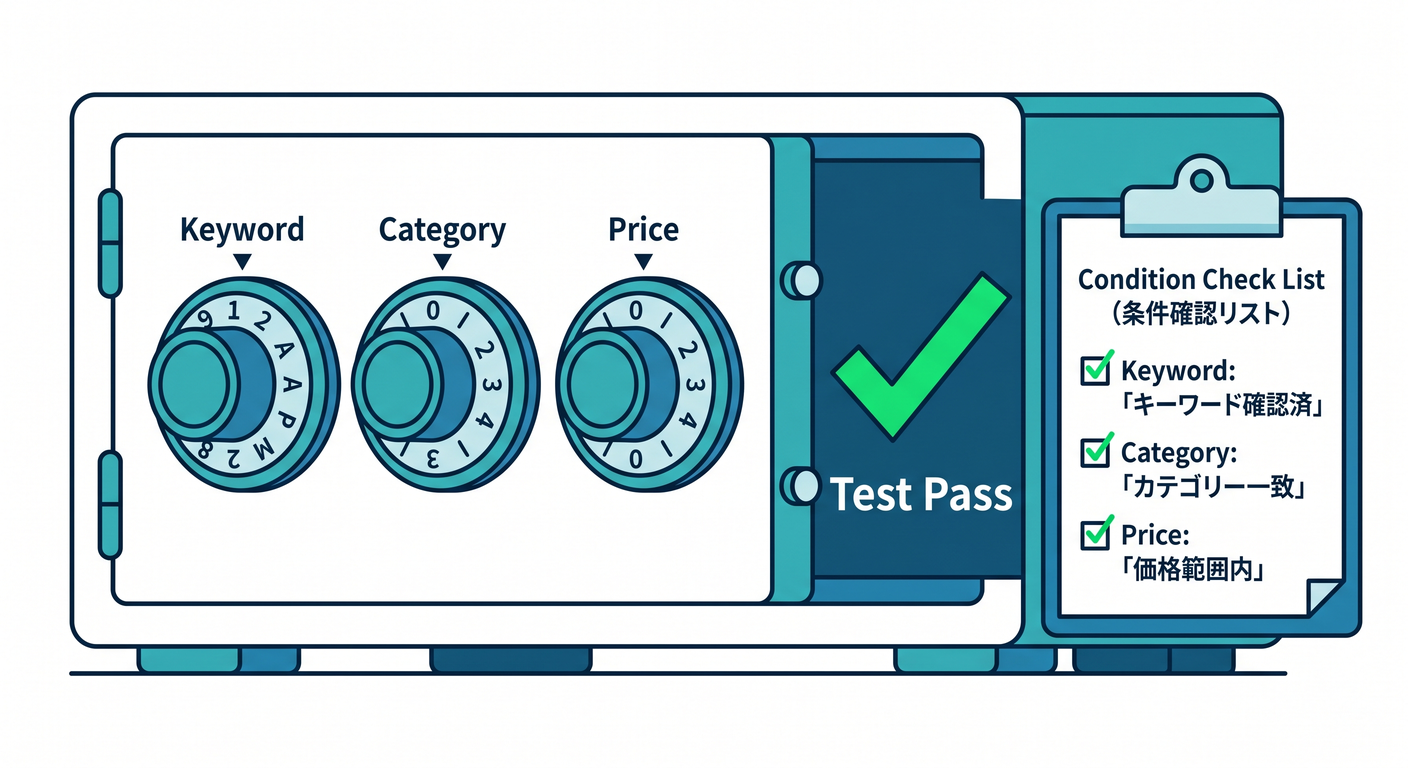
条件検索って「組み合わせ」が増えると、抜け漏れが出やすい😭 だからここで Theory + MemberData を使うよ〜!🧪🎁 (xUnitの基本形は v3 でも同じ感じでOKだよ📌 (xUnit.net))
5-1. テストケース表(超ミニ版)🗂️
- Keywordだけ
- Categoryだけ
- Keyword + Category
- Price帯 + Category
- Keyword + Price帯 + Sort(1つ混ぜる)
5-2. パラメータ化テスト(Red→Green)🔴🟢
public class GoodsCombinedQueryTests
{
    public static IEnumerable<object[]> Cases => new[]
    {
        new object[]
        {
            "Keyword only",
            new GoodsQuery(Keyword: "アクスタ"),
            new[] { "アクスタA", "アクスタB" }
        },
        new object[]
        {
            "Category only",
            new GoodsQuery(Category: "ライブ"),
            new[] { "ペンライト", "トートバッグ" }
        },
        new object[]
        {
            "Keyword + Category",
            new GoodsQuery(Keyword: "アクスタ", Category: "アクスタ"),
            new[] { "アクスタA", "アクスタB" }
        },
        new object[]
        {
            "Category + PriceRange",
            new GoodsQuery(Category: "ライブ", MinUnitPrice: 3000m),
            new[] { "ペンライト" }
        },
        new object[]
        {
            "Keyword + PriceRange + Sort(Price Desc)",
            new GoodsQuery(
                Keyword: "アクスタ",
                MinUnitPrice: 1500m,
                Sort: new GoodsSort(GoodsSortKey.UnitPrice, SortDirection.Desc)
            ),
            new[] { "アクスタB", "アクスタA" }
        },
    };

    [Theory]
    [MemberData(nameof(Cases))]
    public void Combined_filters_work_as_expected(string _, GoodsQuery query, string[] expectedNames)
    {
        var items = GoodsItemSamples.Mixed();

        var result = GoodsSearch.Run(items, query).Select(x => x.Name).ToArray();

        Assert.Equal(expectedNames, result);
    }
}
このテストがあるだけで、将来フィルタを増やしても安心感が爆上がりするよ〜🥹💖
リファクタ(読みやすさ爆上げ)🧹✨
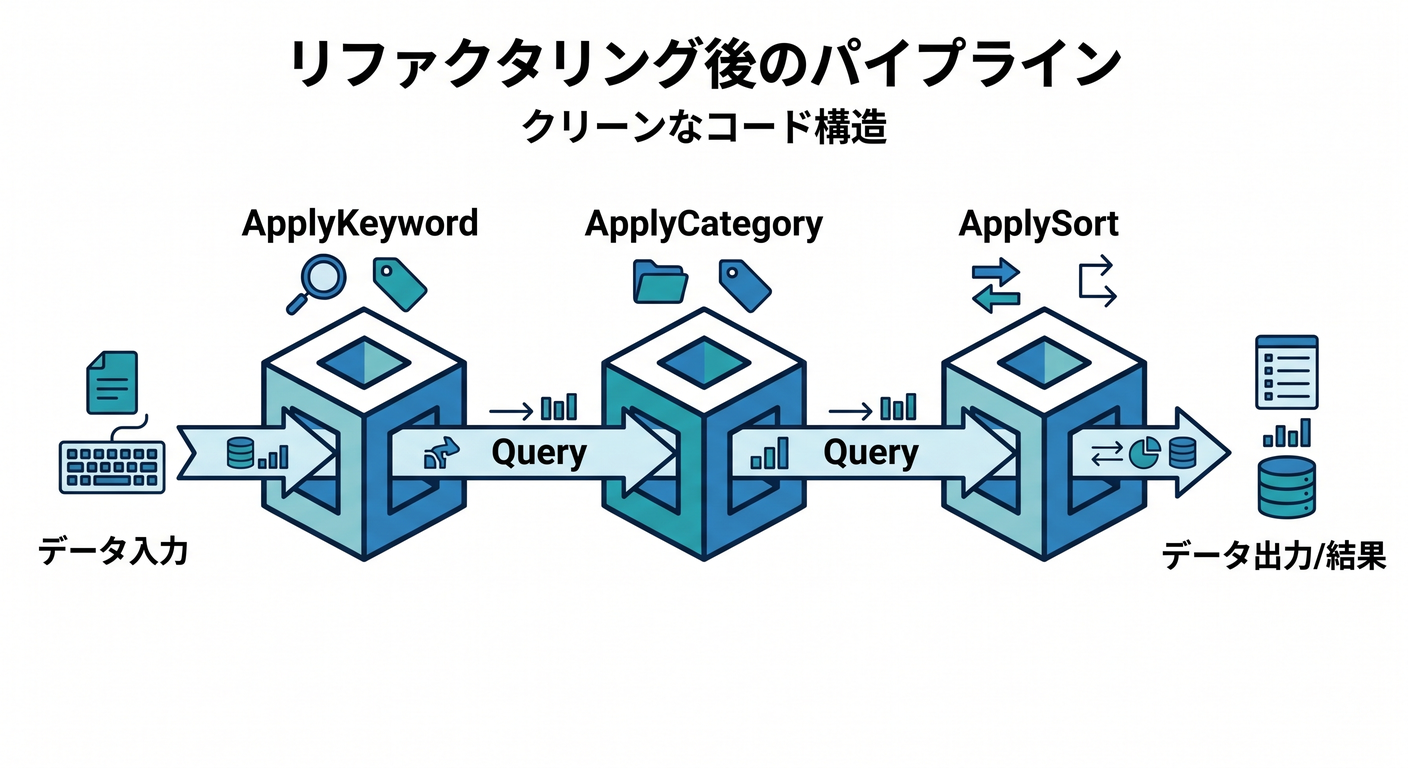
Run の中が if だらけになってきたら、ここが整理タイム!🛠️
(テストが守ってくれるから怖くない😊)
public static class GoodsSearch
{
    public static IEnumerable<GoodsItem> Run(IEnumerable<GoodsItem> items, GoodsQuery query)
    {
        var q = items;

        q = ApplyKeyword(q, query.Keyword);
        q = ApplyCategory(q, query.Category);
        q = ApplyMinPrice(q, query.MinUnitPrice);
        q = ApplyMaxPrice(q, query.MaxUnitPrice);

        q = ApplySort(q, query.Sort ?? GoodsSort.None);

        return q;
    }

    private static IEnumerable<GoodsItem> ApplyKeyword(IEnumerable<GoodsItem> items, string? keyword)
        => string.IsNullOrWhiteSpace(keyword)
            ? items
            : items.Where(x => x.Name.Contains(keyword, StringComparison.OrdinalIgnoreCase));

    private static IEnumerable<GoodsItem> ApplyCategory(IEnumerable<GoodsItem> items, string? category)
        => string.IsNullOrWhiteSpace(category)
            ? items
            : items.Where(x => string.Equals(x.Category, category, StringComparison.OrdinalIgnoreCase));

    private static IEnumerable<GoodsItem> ApplyMinPrice(IEnumerable<GoodsItem> items, decimal? min)
        => min is null ? items : items.Where(x => x.UnitPrice >= min.Value);

    private static IEnumerable<GoodsItem> ApplyMaxPrice(IEnumerable<GoodsItem> items, decimal? max)
        => max is null ? items : items.Where(x => x.UnitPrice <= max.Value);

    private static IEnumerable<GoodsItem> ApplySort(IEnumerable<GoodsItem> items, GoodsSort sort)
        => (sort.Key, sort.Direction) switch
        {
            (GoodsSortKey.UnitPrice, SortDirection.Asc) => items.OrderBy(x => x.UnitPrice),
            (GoodsSortKey.UnitPrice, SortDirection.Desc) => items.OrderByDescending(x => x.UnitPrice),

            (GoodsSortKey.PurchasedOn, SortDirection.Asc) => items.OrderBy(x => x.PurchasedOn),
            (GoodsSortKey.PurchasedOn, SortDirection.Desc) => items.OrderByDescending(x => x.PurchasedOn),

            (GoodsSortKey.Name, SortDirection.Asc) => items.OrderBy(x => x.Name),
            (GoodsSortKey.Name, SortDirection.Desc) => items.OrderByDescending(x => x.Name),

            (GoodsSortKey.Quantity, SortDirection.Asc) => items.OrderBy(x => x.Quantity),
            (GoodsSortKey.Quantity, SortDirection.Desc) => items.OrderByDescending(x => x.Quantity),

            _ => items
        };
}
AI(Copilot / Codex)活用ポイント🤖✨(この章向け)
AIはここで超便利!ただし「採用条件」はいつも同じだよ😊✅ “テストが通る+意図に一致” のときだけ採用!
使えるプロンプト例(コピペOK)📋✨
- 「この
GoodsQueryの仕様で、組み合わせテストケースを10個作って(期待結果も)」 - 「
ApplySortの switch に追加すべき SortKey候補と、対応するテスト案を出して」 - 「この検索仕様の 境界値(Min/Max/空文字/null)を列挙して」
- 「このテスト、読みやすいように AAA に整形して」
よくある落とし穴(先に潰す)🕳️🛑
-
😵 部分一致の大小文字:
OrdinalIgnoreCaseを忘れる -
😵 価格帯の境界:
>=と<=なのか、>と<なのか曖昧- → テスト名に inclusive と書いちゃうのおすすめ📝
-
😵 並び替えとフィルタの順番
- 基本は「絞ってから並べる」ほうが自然😊
-
😵 テストデータがデカすぎ
- 5件くらいで十分!小さく!🧸✨
この章の提出物(おすすめコミット単位)📦✅
- ✅ commit 46-1:
GoodsSummary合計のテスト&実装 - ✅ commit 46-2:カテゴリ別集計のテスト&実装
- ✅ commit 46-3:並び替え(価格→日付→名前)をテスト駆動で追加
- ✅ commit 46-4:検索フィルタ(Keyword/Category/PriceRange)をテスト駆動で追加
- ✅ commit 46-5:Theory + MemberData で組み合わせを守る
- ✅ commit 46-6:
GoodsSearchを小メソッドに分解してリファクタ🧹✨
章末チェック(自己採点)🧪✅
- ✅ 価格帯の境界(Min/Max)がテストで固定されてる?
- ✅ 組み合わせ(AND)がTheoryで守られてる?
- ✅ 並び替えキーを増やすとき、テスト1本追加→switch1行追加で済む?
- ✅ テストが「仕様の文章」みたいに読める?📘✨
- ✅ テストが遅くなってない?(この章は基本ずっと速いはず⚡️)
必要なら次に、あなたの「第40章で作った推し活グッズ管理①」の形に合わせて、**この章のコードを“完全に差分適用できる形”**に組み替えて出すよ〜🎀✨ (クラス名・責務・メソッド名を揃えて、コピペで育てられるようにするやつ😊)