第23章:楽観ロック(expectedVersion)で守る🔒✅
この章でできるようになること🎯✨
- 「同時更新でイベントが壊れる」理由を、**version(通し番号)**で説明できる🧠
- EventStore に expectedVersion を渡して、競合したら保存を止める実装ができる🛑
- 競合時のふるまいを Given-When-Then テストで確認できる🧪✅
1. まず復習:競合(同時更新)ってどう壊れるの?⚔️😵
イベントソーシングでは、だいたいこういう流れでした👇
- 過去イベントを読む(Load)📚
- 今の状態を復元する(Rehydrate)🔁
- コマンドを判定して新イベントを決める(Decide)📮
- 新イベントを保存する(Append)📦
ここで Aさん と Bさん がほぼ同時に同じ集約(同じ stream)を更新すると…👇
- Aさん:version=3 の状態を見て、イベントを 1 個追加しようとする
- Bさん:同じく version=3 の状態を見て、イベントを 1 個追加しようとする
もし何も守らないと、両方が「version=3 の次」を書こうとして衝突します💥 これが「競合」だよ〜😵💫
2. expectedVersion って何?🔢✨
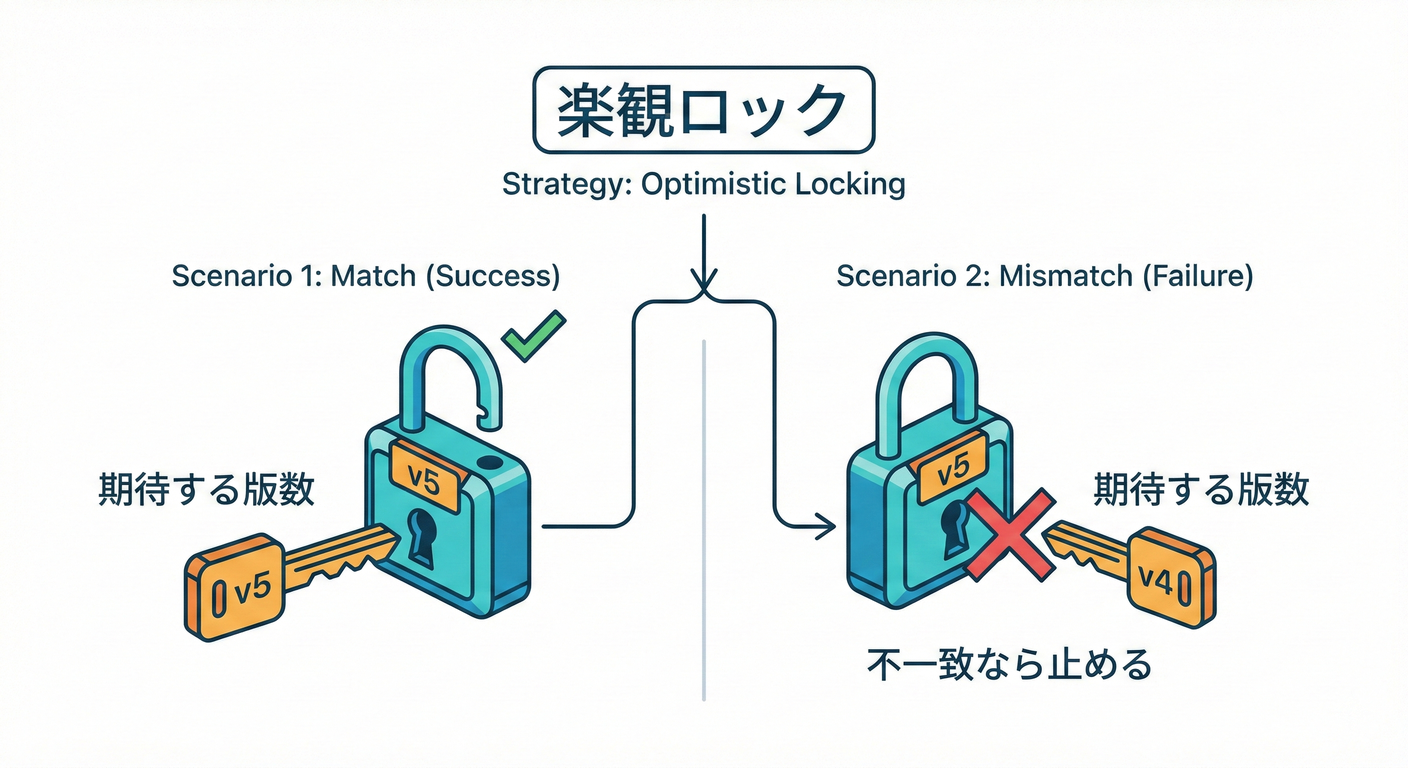
expectedVersion はひとことで言うと👇
「いま保存しようとしている私は、“この stream の現在 version はこれだ” と期待してるよ」
という宣言だよ📣✨
EventStore 側は保存の瞬間に、
- 「本当に今の version が expectedVersion と一致してる?」👀 をチェックして、一致してたら保存✅、違ってたら失敗🛑にします。
これは EventStoreDB / Kurrent のドキュメントでも、append 時に version を指定して楽観的同時実行制御(optimistic concurrency check)できるよ〜って説明されてるよ📚🔒 (Kurrent Docs)
3. version(通し番号)のルールを決めよう📼✅
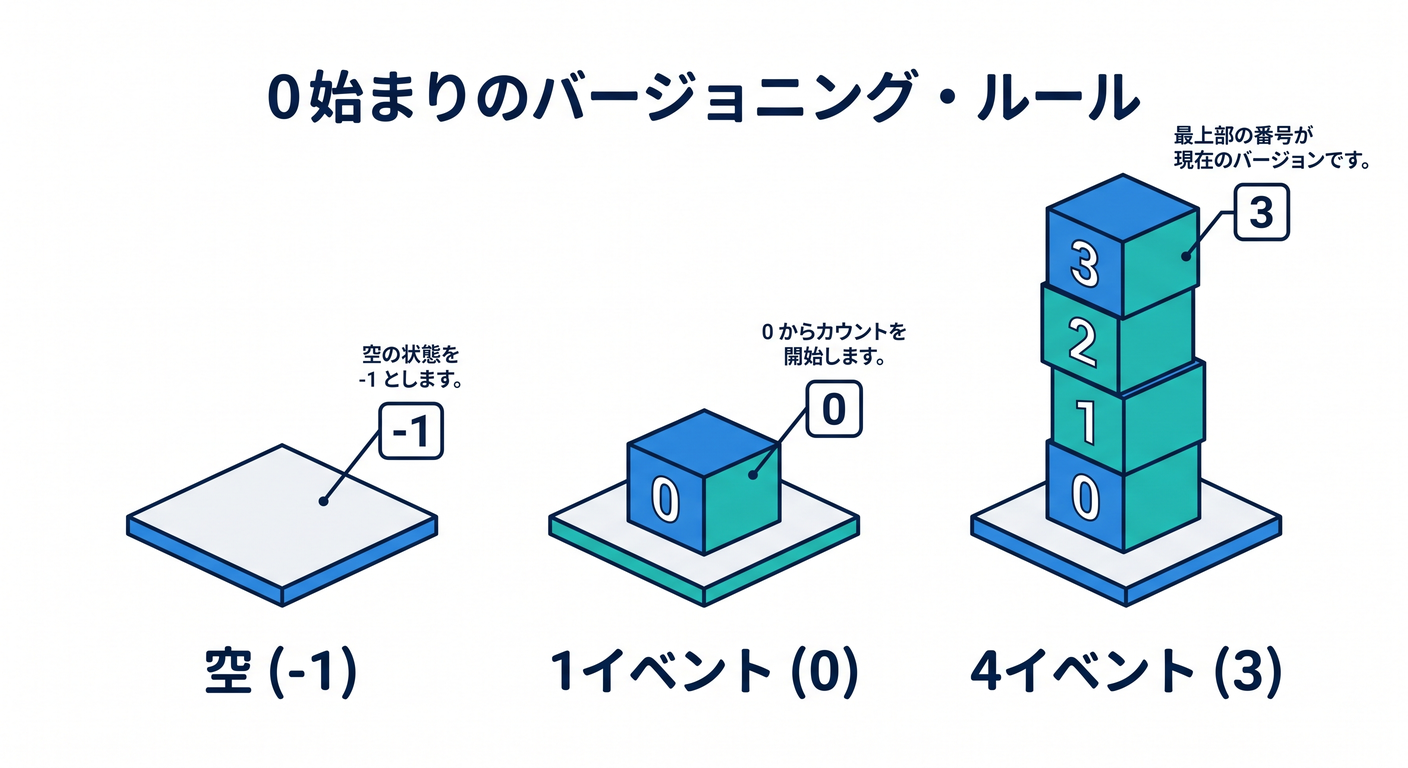
この教材では、わかりやすくこう定義します👇
- 空の stream の version = -1(イベントが 0 個だから)
- イベントが 1 個あるなら version = 0
- イベントが 4 個あるなら version = 3(0,1,2,3)
つまり👇 currentVersion = events.Count - 1 ✅
保存時はこう👇
- 期待:expectedVersion
- 実際:currentVersion
- 一致したら Append 成功✅
- 違ったら 競合(Conflict)で失敗🛑
4. 最小実装:InMemory EventStore に expectedVersion を入れる🧱🔒
4.1 まずは例外(ConcurrencyException)で止める版🚧
シンプルに「競合したら例外」でいきます💥 (第21章の Result 方式に寄せたい人は次の 4.2 を使ってね😊)
using System.Collections.Concurrent;

public sealed class ConcurrencyException : Exception
{
    public ConcurrencyException(string message) : base(message) { }
}

public sealed record StoredEvent(
    string StreamId,
    int Version,
    string Type,
    string DataJson,
    DateTimeOffset OccurredAtUtc
);

public sealed class InMemoryEventStore
{
    private readonly ConcurrentDictionary<string, List<StoredEvent>> _streams = new();
    private readonly object _gate = new(); // このサンプルでの原子性(atomic)確保用🔒

    public IReadOnlyList<StoredEvent> ReadStream(string streamId)
    {
        if (_streams.TryGetValue(streamId, out var list))
            return list.ToList(); // コピーを返す(外から壊されないように)🛡️

        return Array.Empty<StoredEvent>();
    }

    public int Append(string streamId, int expectedVersion, IReadOnlyList<(string Type, string DataJson)> newEvents)
    {
        lock (_gate)
        {
            var list = _streams.GetOrAdd(streamId, _ => new List<StoredEvent>());

            var currentVersion = list.Count - 1;
            if (currentVersion != expectedVersion)
            {
                throw new ConcurrencyException(
                    $"Concurrency conflict! stream={streamId}, expected={expectedVersion}, actual={currentVersion}"
                );
            }

            var nextVersion = currentVersion;
            foreach (var e in newEvents)
            {
                nextVersion++;
                list.Add(new StoredEvent(
                    StreamId: streamId,
                    Version: nextVersion,
                    Type: e.Type,
                    DataJson: e.DataJson,
                    OccurredAtUtc: DateTimeOffset.UtcNow
                ));
            }
        }
    }

    public int ReadStreamCount(string streamId)
    {
        return _streams.TryGetValue(streamId, out var list) ? list.Count : 0;
    }
}
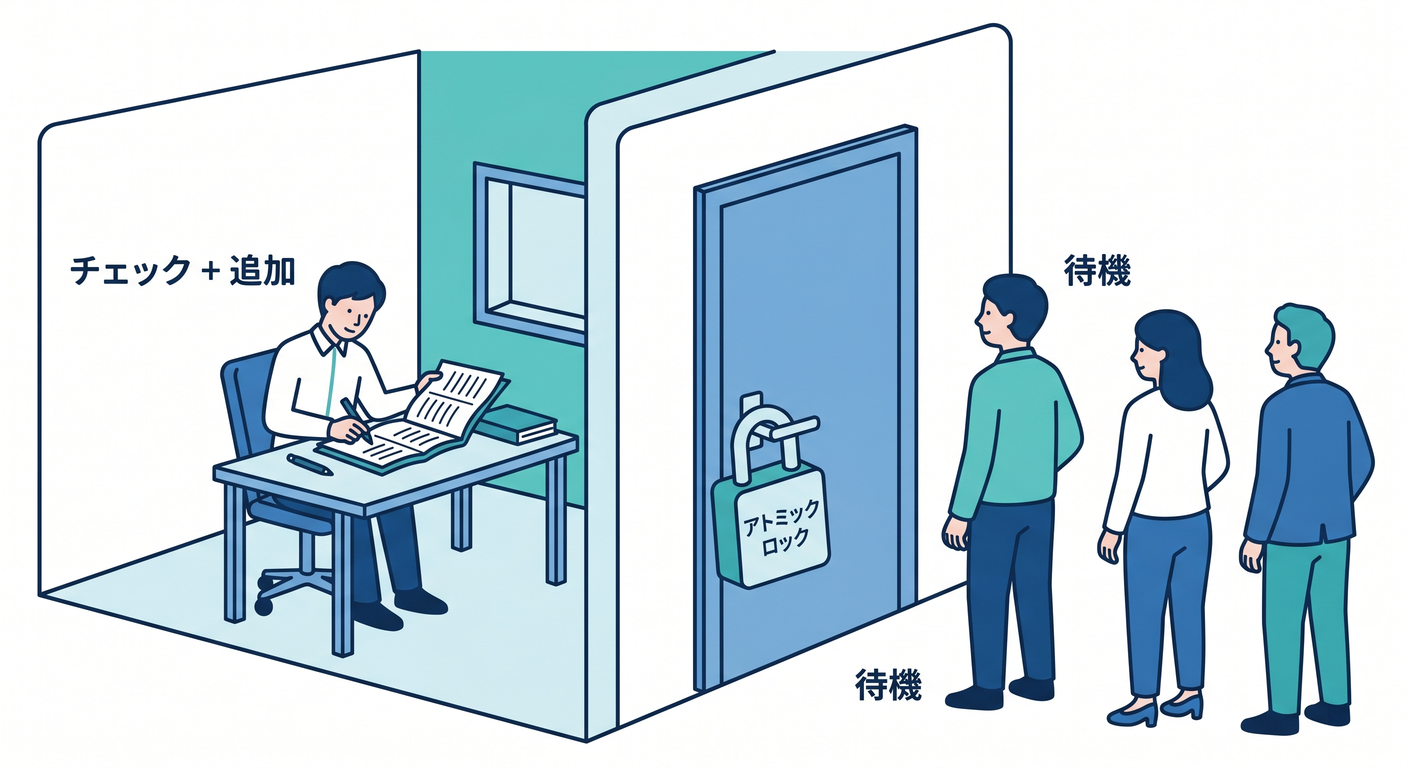
ここ大事ポイント💡
- expectedVersion のチェックと Append は “一体” でやる(原子性)🔒
→ だからサンプルでは
lockでまとめてます😊 - 実際の EventStoreDB みたいな外部ストアでは、サーバ側で原子に守ってくれるのが強みだよ✨ (Kurrent Docs)
4.2 Result っぽく返す版(例外を暴れさせない)🚦😊
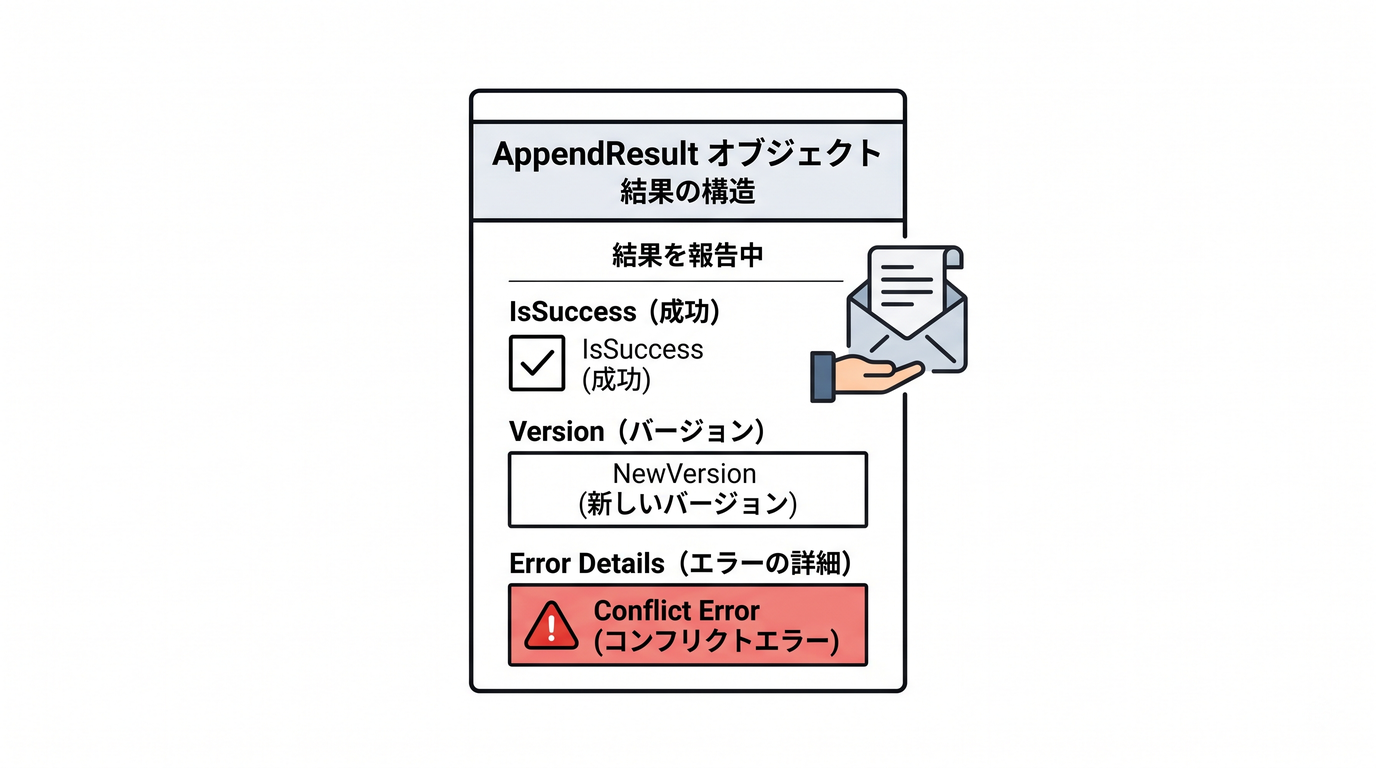
競合は「よく起きうること」だから、例外じゃなく Result 扱いにするのもアリ🧸
public sealed record AppendResult(bool IsSuccess, int? NewVersion, string? ErrorCode, string? Message)
{
    public static AppendResult Ok(int newVersion) => new(true, newVersion, null, null);
    public static AppendResult Conflict(string message) => new(false, null, "concurrency_conflict", message);
}

public sealed class InMemoryEventStoreWithResult
{
    private readonly ConcurrentDictionary<string, List<StoredEvent>> _streams = new();
    private readonly object _gate = new();

    public AppendResult Append(string streamId, int expectedVersion, IReadOnlyList<(string Type, string DataJson)> newEvents)
    {
        lock (_gate)
        {
            var list = _streams.GetOrAdd(streamId, _ => new List<StoredEvent>());
            var currentVersion = list.Count - 1;

            if (currentVersion != expectedVersion)
                return AppendResult.Conflict($"expected={expectedVersion}, actual={currentVersion}");

            var nextVersion = currentVersion;
            foreach (var e in newEvents)
            {
                nextVersion++;
                list.Add(new StoredEvent(streamId, nextVersion, e.Type, e.DataJson, DateTimeOffset.UtcNow));
            }

            return AppendResult.Ok(nextVersion);
        }
    }
}
5. ミニ演習:わざと競合を起こして、保存が止まるのを確認しよう🧨✅
ゴール🎯
- 2人が同じ version を見て更新
- 1人は成功✅、もう1人は失敗🛑 になるのを体験する!

手順📝
- stream を作ってイベントを 3 個入れておく(version=2 まで)
- A と B が同時に読む(どちらも expectedVersion=2 を持つ)
- A が Append(成功して version=3 になる)
- B が Append(expectedVersion=2 のままなので失敗)
var store = new InMemoryEventStore();

var streamId = "cart-001";

// ① 初期イベントを3つ入れる(version 0,1,2)
store.Append(streamId, expectedVersion: -1, new[]
{
    (Type: "CartCreated", DataJson: """{"cartId":"cart-001"}"""),
    (Type: "ItemAdded",   DataJson: """{"sku":"A","qty":1}"""),
    (Type: "ItemAdded",   DataJson: """{"sku":"B","qty":1}"""),
});

// ② A も B も “version=2 の世界”を見ている
var aExpected = store.ReadStream(streamId).Count - 1; // 2
var bExpected = store.ReadStream(streamId).Count - 1; // 2

// ③ A が更新(成功)
store.Append(streamId, expectedVersion: aExpected, new[]
{
    (Type: "ItemRemoved", DataJson: """{"sku":"A"}""")
});

// ④ B が更新(失敗するはず)
try
{
    store.Append(streamId, expectedVersion: bExpected, new[]
    {
        (Type: "ItemAdded", DataJson: """{"sku":"C","qty":1}""")
    });
}
catch (ConcurrencyException ex)
{
    Console.WriteLine(ex.Message); // expected=2, actual=3 みたいになる✅
}
6. テストの型:Given-When-Then で「競合」を書こう🧪🔒
ここでは xUnit っぽい雰囲気でいきます😊 (テストの型は第20章の復習ね✨)
using Xunit;

public sealed class OptimisticLockTests
{
    [Fact]
    public void Append_with_wrong_expectedVersion_should_throw()
    {
        // Given
        var store = new InMemoryEventStore();
        var streamId = "cart-001";

        store.Append(streamId, -1, new[]
        {
            (Type: "CartCreated", DataJson: """{"cartId":"cart-001"}"""),
        });

        var expectedVersion = 0;

        // When: 先に別の更新が入った想定(version を 1 に進める)
        store.Append(streamId, expectedVersion, new[]
        {
            (Type: "ItemAdded", DataJson: """{"sku":"A","qty":1}"""),
        });

        // Then: 古い expectedVersion で append すると競合
        Assert.Throws<ConcurrencyException>(() =>
        {
            store.Append(streamId, expectedVersion, new[]
            {
                (Type: "ItemAdded", DataJson: """{"sku":"B","qty":1}"""),
            });
        });
    }
}
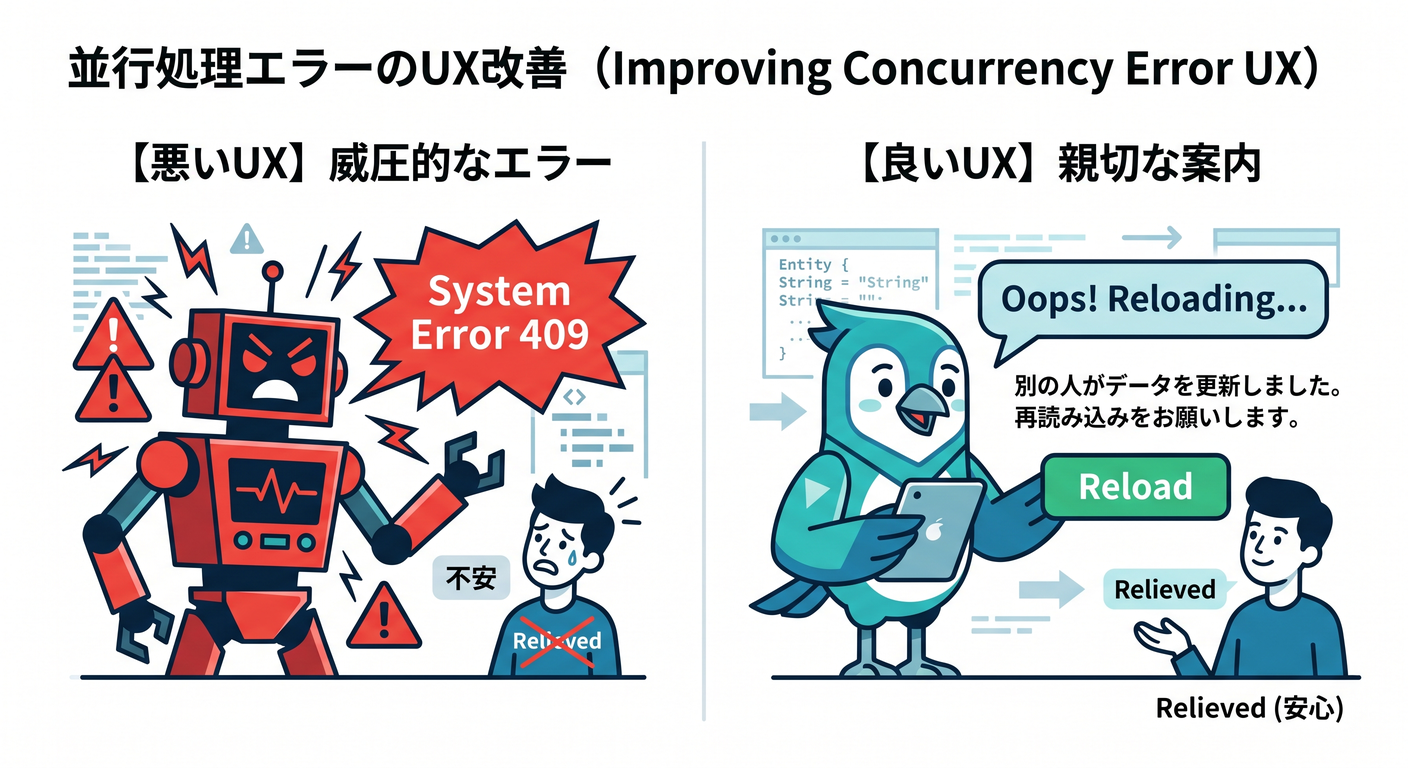
7. 競合したときのユーザー向けメッセージ例💬🌷
アプリ側では、競合は「あなたが悪い」じゃなくて、単に先に誰かが更新しただけのことが多いよね😊
おすすめ文言(例)👇
- 「更新のタイミングが重なっちゃったみたい🥲 もう一度やり直してね!」
- 「別の操作で内容が変わったよ🔄 最新の状態を読み直しますね😊」
“怒ってない感” 大事〜🧸💕
8. よくある落とし穴⚠️😵💫
8.1 「Any(何でもOK)」を多用しない🙅♀️
expectedVersion をチェックしない設定(Any)を多用すると、競合が見えなくなってデータが壊れがち💥 基本は チェックON が安心だよ🔒✨ (Kurrent Docs)

8.2 「チェックだけして、Append が別操作」にならないように⚠️
アプリ側で
- ①今の version 読む
- ②あとで保存 みたいに分離すると、その間に他の更新が入ってズレます😵💫
だから EventStore の “expectedVersion 付き Append” に寄せるのが強い💪✨ (Kurrent Docs)
9. AI活用プロンプト(コピペOK)🤖🪄
9.1 競合シナリオを増やす🧪
「expectedVersion を使った競合シナリオを、初心者向けに3つ考えて。 それぞれに “起きる理由” と “期待する挙動(成功/失敗)” を付けて。」
9.2 メッセージ案を作る💬
「競合エラーのとき、ユーザーに不快感を与えない短い文言を10案。 “責めない/安心する/次の行動がわかる” を重視して。」
9.3 テスト観点を作る🧠
「expectedVersion を導入した EventStore のテスト観点を10個。 成功系/失敗系/境界値(空ストリームなど)をバランスよく。」
まとめ🎁✨
- 競合は「同時更新で、同じ version の次を書こうとして起きる」⚔️
- expectedVersion は「今の version はこれのはず」宣言📣
- EventStore 側で expectedVersion チェック付き Append を使うと、壊れる前に止められる🔒✅ (Kurrent Docs)
参考(この章の裏取り)📚🔍
- .NET 10 の最新情報まとめ(公式)🧩✨ (Microsoft Learn)
- Visual Studio 2026 のリリースノート(公式)🪟🛠️ (Microsoft Learn)
- 楽観的同時実行制御(optimistic concurrency)と expected version の考え方(EventStoreDB/Kurrent)🔒 (Kurrent Docs)