第06章:Presentation層入門🎨(UIは薄く)
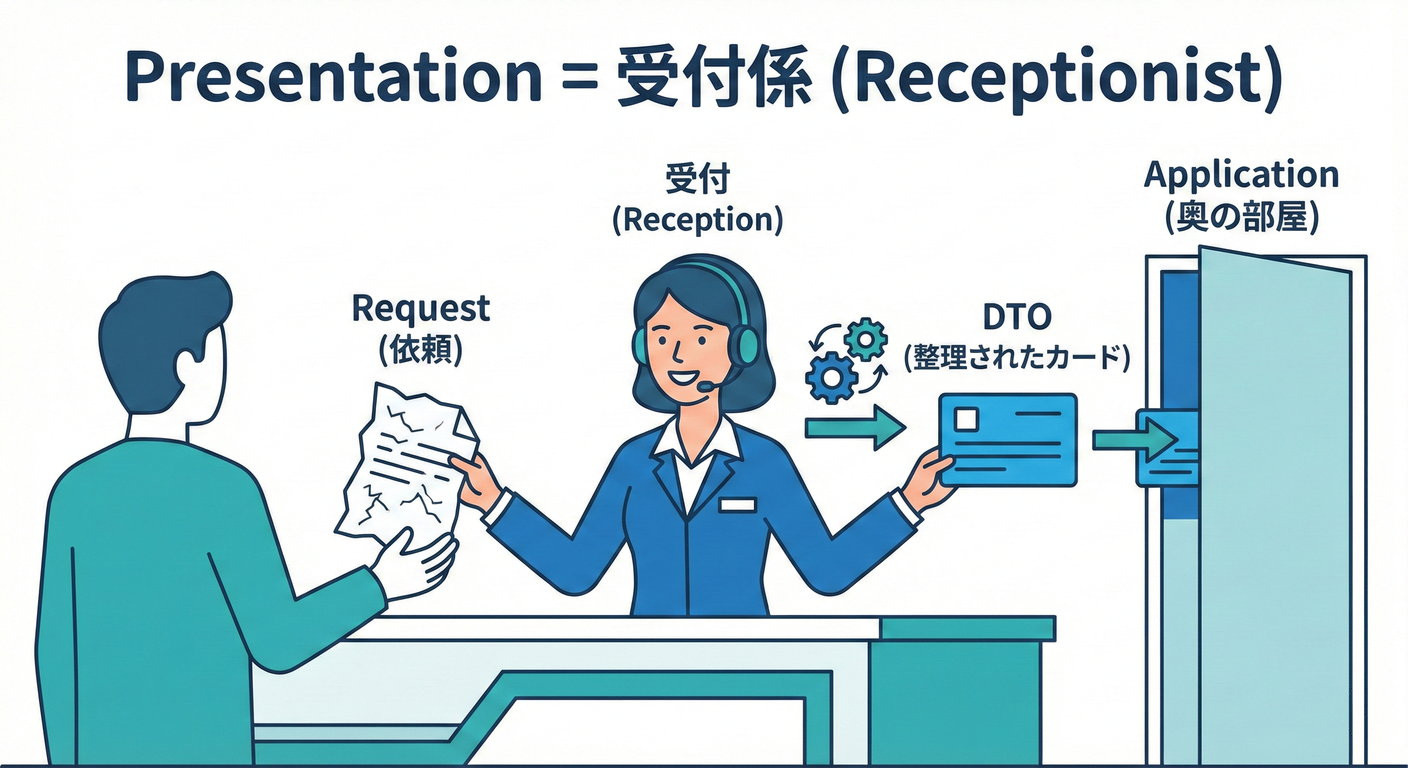
この章は「UIは“受付係”」「アプリ本体(UseCase)に仕事を渡す」って感覚をつかむ回だよ〜😊📞 ゴールはこれ👇
- Presentation層が “何をやる層” なのか言えるようになる✨
- 薄いUI(Controller/Endpointが太らない)を体験する🪶
- 画面/API都合(DTO)を Domainに持ち込まない 練習をする🙅♀️📦
- エラーを APIっぽい形(ProblemDetails等) に整える入口を作る⚠️📮
※ここで扱うベース環境は、今どきの .NET 10(LTS) で進めるよ〜(.NET 10 は 2025-11-11 リリースのLTS、サポートは 2028-11-14 まで)(Microsoft) IDEは Visual Studio 2026 系が前提でOK(VS 2026 のリリースノートが公開されてる)(Microsoft Learn)
6-1. Presentation層って結局なに?🤔🎯
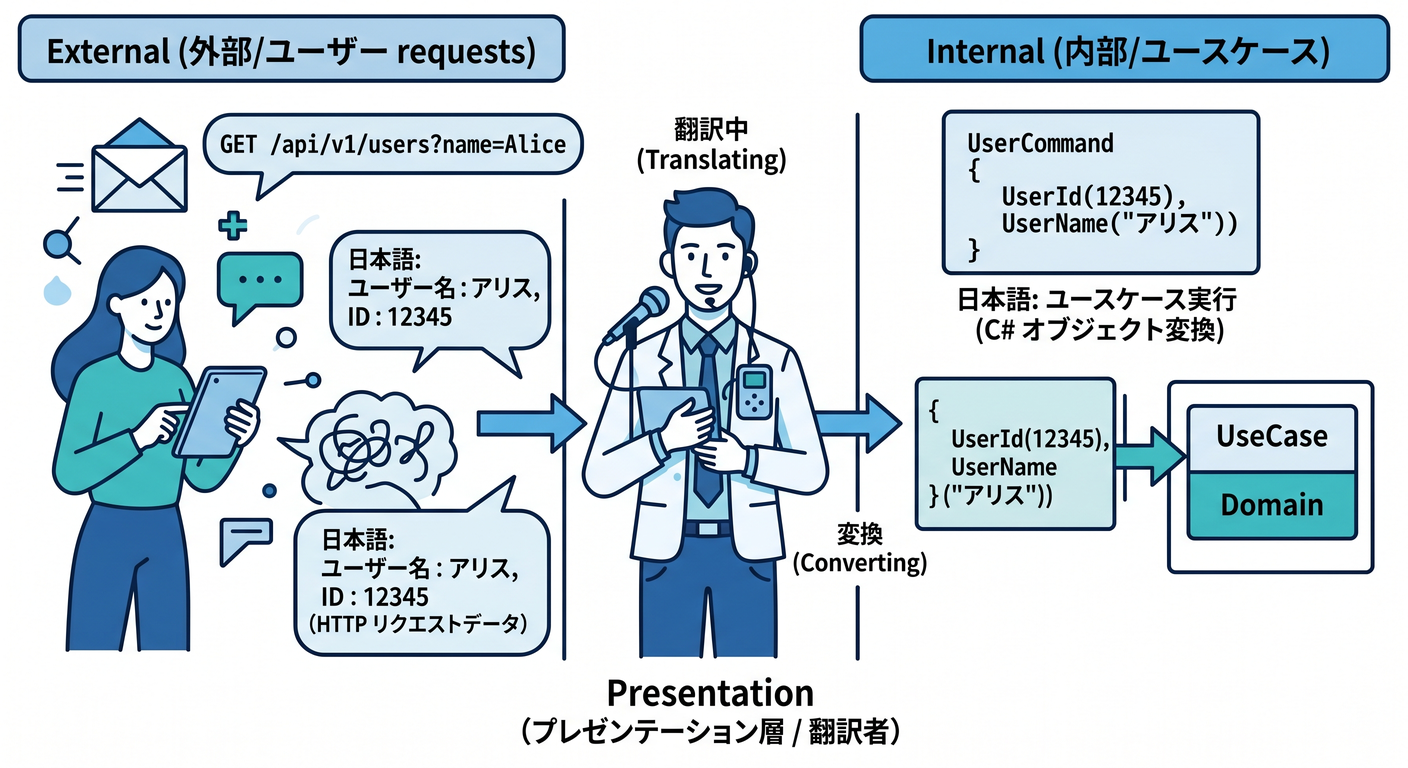
Presentation層の仕事は、ざっくり 「外の世界」と「アプリ本体」をつなぐ翻訳係 だよ😊✨ Web APIなら「HTTP ↔ UseCase」の通訳さん🗣️🔁
✅ Presentation層がやること(やってOK)🙆♀️
- リクエスト受け取り(URL/HTTPメソッド/ボディ)📩
- 入力の 形式チェック(必須・文字数・型・JSONの形)✅
- DTO → コマンド/クエリへの変換(Mapping)🧩
- UseCase呼び出し(Application層へ)📞
- 結果をレスポンスへ変換(DTO化、HTTPステータス決め)📤
- 例外/エラーをHTTP向けに整形(ProblemDetailsなど)⚠️📮
- 認証/認可、ログ、レート制限など“入口の関心事”🔐🪵
❌ Presentation層がやっちゃダメ(やりがち)🙅♀️
- 業務ルール(「期限は営業日だけ」みたいな本質ルール)をここに書く
- Domain Entityをそのまま返す(UI都合が混ざって壊れやすい)💥
- DBアクセスを直接やる(後で地獄)🗄️🔥
- HttpContext をApplication/Domainへ渡す(層の汚染)🧪
合言葉:「UIは薄く、判断は内側へ」 🪶➡️💎
6-2. “薄いUI”って、どれくらい薄いの?🪶✨
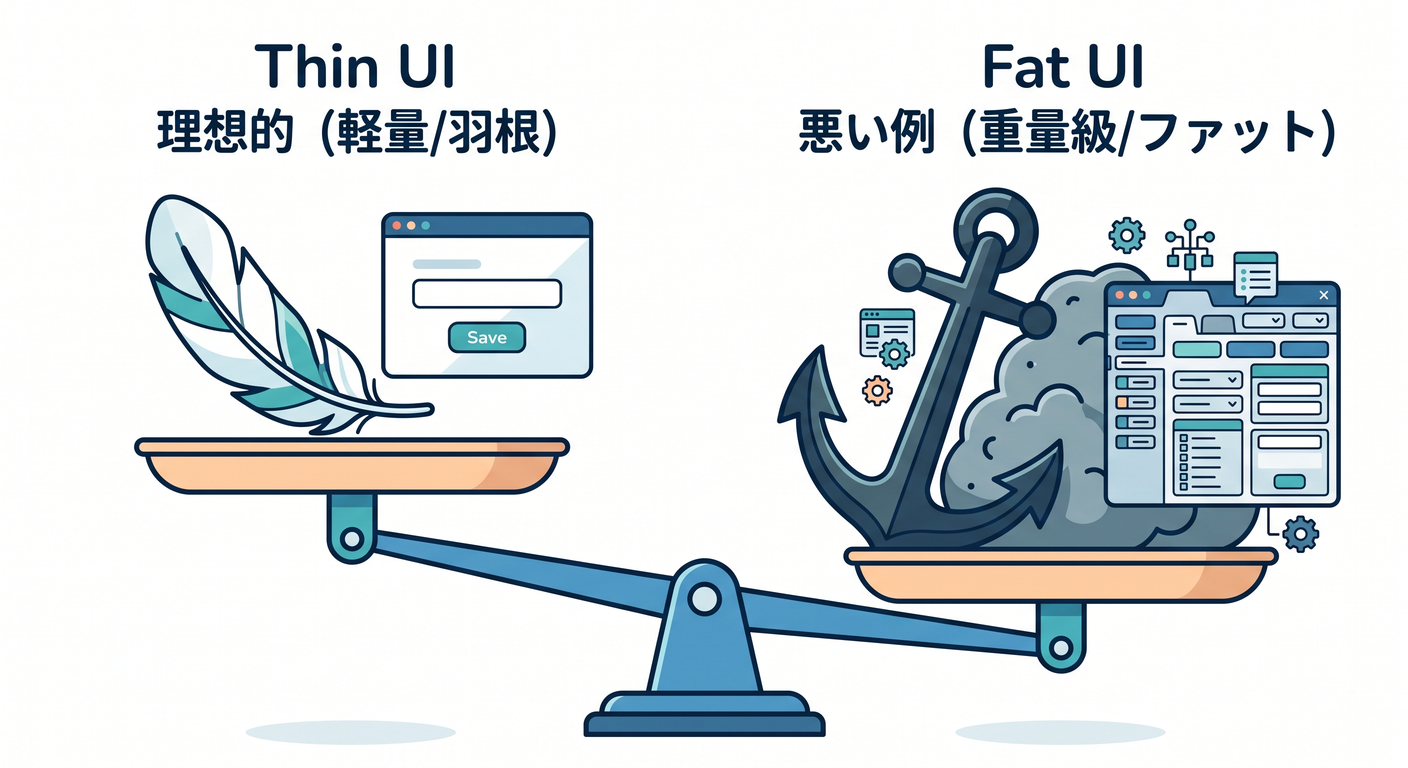
目安はこれ👇
👍 良い薄さ(理想)😊
- Endpoint/Controllerの中が 「受け取る→渡す→返す」 の3点セットだけ
- if文が増えるとしても 入力形式チェック まで(業務ルールはしない)
👎 太いUI(危険)😵
- 「登録できる条件」をUIが全部判定してる
- 似たifがあちこちの画面/エンドポイントでコピペ増殖🧟♀️🧟♂️
- 後で仕様が変わるたびにUI全部修正になる🔧💦
6-3. DTOの考え方📦✨(画面/APIの都合を隔離する)
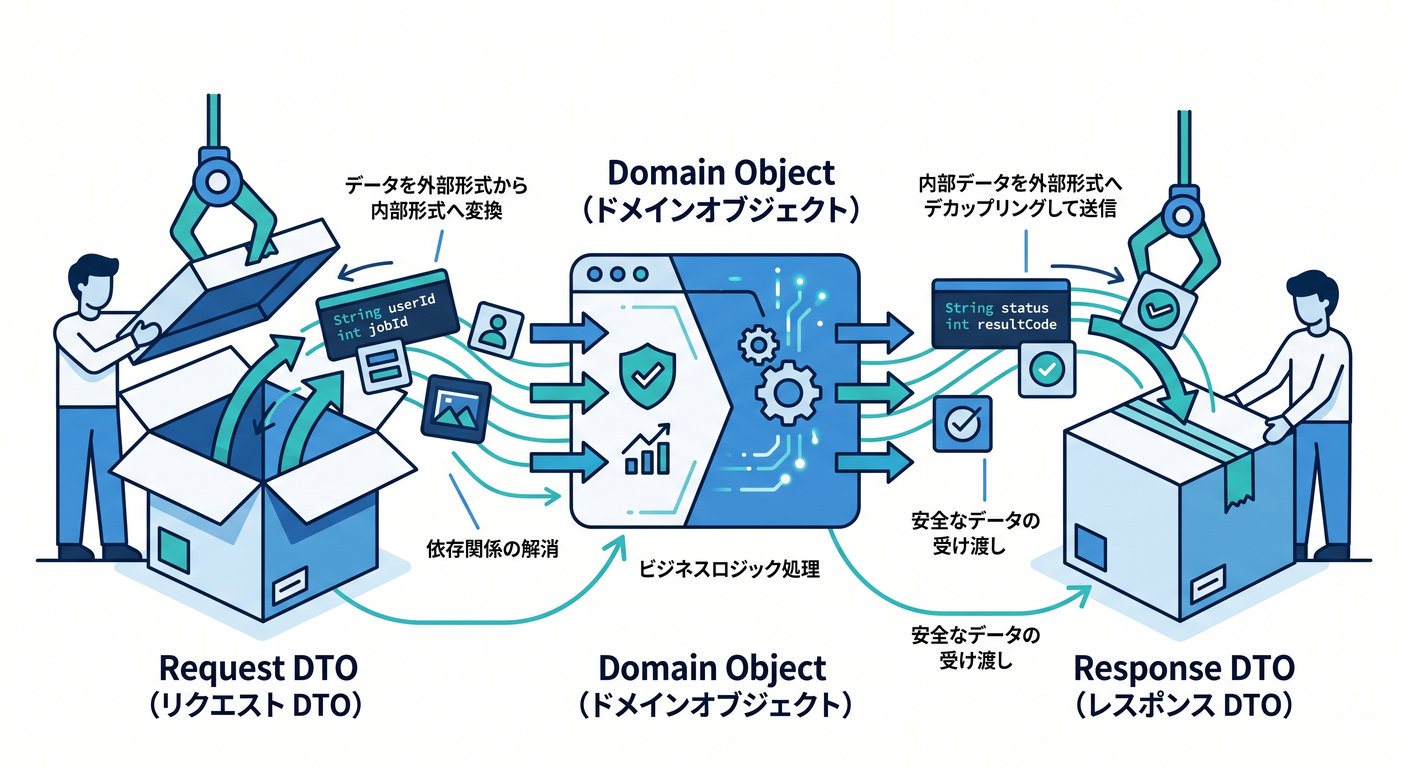
Presentation層には DTO(Request/Response) を置くのが基本だよ😊 DTOは「外に見せる形」だから、Domainとは別物でOK🙆♀️
例(ToDoの作成)👇
- Request:
titleが必須、最大50文字…みたいな 入口仕様 を表現 - Response:
idとtitleとisDone…みたいな 返す形 を表現
6-4. プロジェクト/フォルダ配置のおすすめ📁🧠
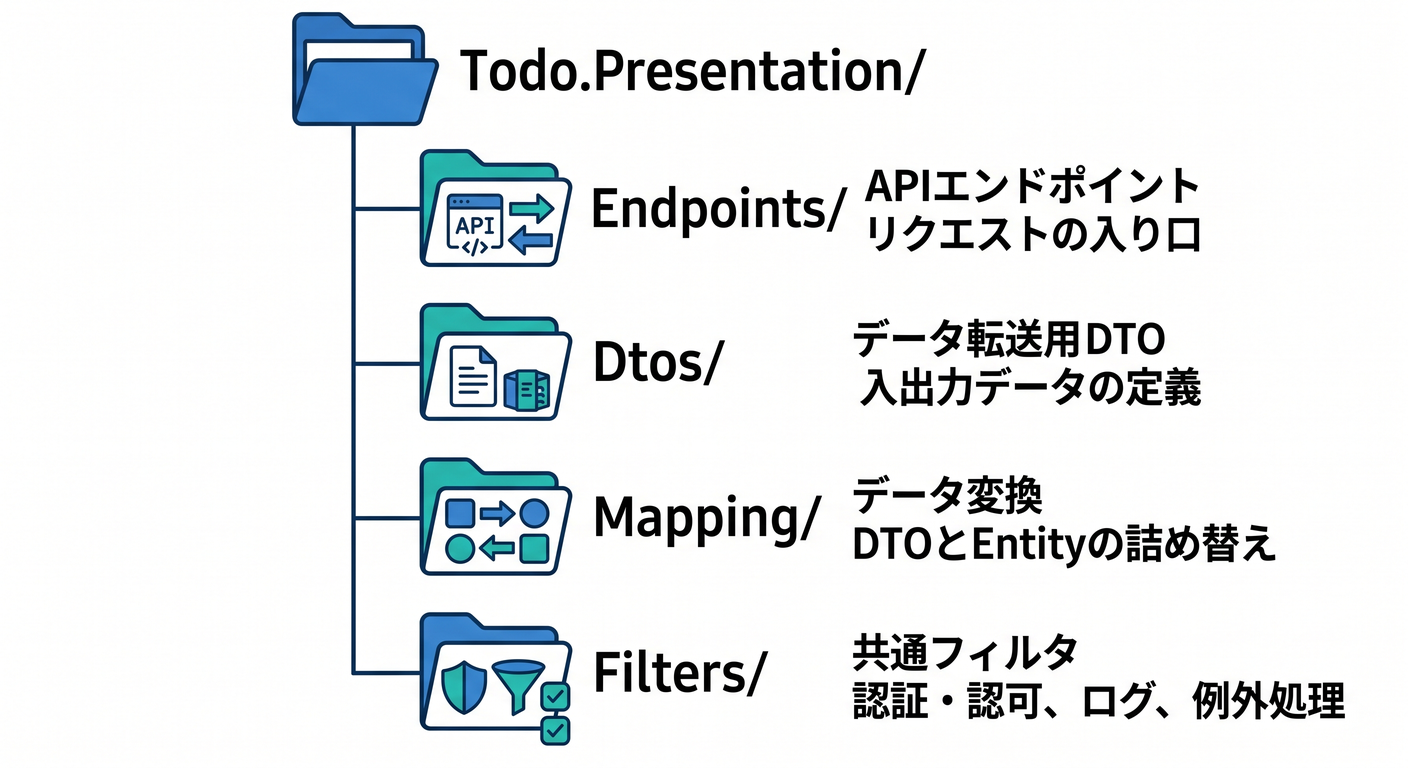
Presentationプロジェクトの中は、こう分けるとスッキリするよ〜✨
Endpoints/(またはControllers/)…入口Dtos/… Request/ResponseMapping/… 変換だけ担当Filters/… 入力チェック(Minimal APIなら Endpoint Filter が便利)ErrorHandling/… 例外→HTTP整形Auth/Logging/… 入口の横断関心事
6-5. ハンズオン🛠️:Minimal APIで“薄いPresentation”を作る(ToDo題材)📝✨
ここは Minimal API でやるよ〜!(公式チュートリアルもこの流れだよ)(Microsoft Learn) Controller派でも後半でミニ例を出すね😊
① Presentation側のDTOを作る📦
// Todo.Presentation/Dtos/CreateTodoRequest.cs
namespace Todo.Presentation.Dtos;

public sealed record CreateTodoRequest(string Title, string? Note);

// Todo.Presentation/Dtos/TodoResponse.cs
namespace Todo.Presentation.Dtos;

public sealed record TodoResponse(Guid Id, string Title, string? Note, bool IsDone);
② Application層に「呼び出し口(UseCase)」を用意する📞🎮
※この章はPresentation集中なので、UseCaseは“仮のインメモリ実装”でOK👌 (保存の本格実装は後の章でやる感じにして、今はUIの薄さに集中〜🪶)
// Todo.Application/UseCases/ITodoUseCases.cs
namespace Todo.Application.UseCases;

public sealed record CreateTodoCommand(string Title, string? Note);
public sealed record TodoDto(Guid Id, string Title, string? Note, bool IsDone);

public interface ITodoUseCases
{
    Task<TodoDto> CreateAsync(CreateTodoCommand cmd, CancellationToken ct);
    Task<TodoDto?> GetAsync(Guid id, CancellationToken ct);
    Task<IReadOnlyList<TodoDto>> ListAsync(CancellationToken ct);
}
インメモリ実装(学習用)👇
// Todo.Application/UseCases/InMemoryTodoUseCases.cs
using System.Collections.Concurrent;

namespace Todo.Application.UseCases;

internal sealed class InMemoryTodoUseCases : ITodoUseCases
{
    private static readonly ConcurrentDictionary<Guid, TodoDto> Store = new();

    public Task<TodoDto> CreateAsync(CreateTodoCommand cmd, CancellationToken ct)
    {
        var id = Guid.NewGuid();
        var dto = new TodoDto(id, cmd.Title, cmd.Note, IsDone: false);
        Store[id] = dto;
        return Task.FromResult(dto);
    }

    public Task<TodoDto?> GetAsync(Guid id, CancellationToken ct)
        => Task.FromResult(Store.TryGetValue(id, out var dto) ? dto : null);

    public Task<IReadOnlyList<TodoDto>> ListAsync(CancellationToken ct)
        => Task.FromResult((IReadOnlyList<TodoDto>)Store.Values.OrderBy(x => x.Title).ToList());
}
DI登録(Application側に拡張メソッド)👇
// Todo.Application/ServiceCollectionExtensions.cs
using Microsoft.Extensions.DependencyInjection;
using Todo.Application.UseCases;

namespace Todo.Application;

public static class ServiceCollectionExtensions
{
    public static IServiceCollection AddApplication(this IServiceCollection services)
    {
        services.AddSingleton<ITodoUseCases, InMemoryTodoUseCases>();
        return services;
    }
}
③ PresentationのProgram.cs(薄いEndpoint)✨🪶
using Microsoft.AspNetCore.Mvc;
using Todo.Application;
using Todo.Application.UseCases;
using Todo.Presentation.Dtos;

var builder = WebApplication.CreateBuilder(args);

builder.Services.AddApplication();
builder.Services.AddEndpointsApiExplorer();
builder.Services.AddSwaggerGen();

// ProblemDetails & 例外ハンドリング(あとで 6-6 で実装するよ)
builder.Services.AddProblemDetails(); // ProblemDetailsサービス登録 :contentReference[oaicite:3]{index=3}
builder.Services.AddExceptionHandler<GlobalExceptionHandler>(); // IExceptionHandler方式 :contentReference[oaicite:4]{index=4}

var app = builder.Build();

app.UseExceptionHandler(); // 例外→ProblemDetailsに寄せる :contentReference[oaicite:5]{index=5}

app.UseSwagger();
app.UseSwaggerUI();

var todos = app.MapGroup("/todos").WithTags("Todos");

todos.MapPost("/", async (
        CreateTodoRequest req,
        ITodoUseCases useCases,
        CancellationToken ct) =>
    {
        // ここは“形式チェック”だけ(業務ルールは内側へ!)
        // ※より綺麗にするために、次の 6-5④ で Filter に移すよ🪶
        if (string.IsNullOrWhiteSpace(req.Title))
        {
            return Results.ValidationProblem(new Dictionary<string, string[]>
            {
                ["title"] = new[] { "title は必須だよ😊" }
            });
        }

        if (req.Title.Length > 50)
        {
            return Results.ValidationProblem(new Dictionary<string, string[]>
            {
                ["title"] = new[] { "title は50文字以内にしてね🙏" }
            });
        }

        var cmd = new CreateTodoCommand(req.Title.Trim(), req.Note?.Trim());
        var created = await useCases.CreateAsync(cmd, ct);

        var res = new TodoResponse(created.Id, created.Title, created.Note, created.IsDone);
        return Results.Created($"/todos/{created.Id}", res);
    })
    .WithName("CreateTodo")
    .Produces<TodoResponse>(StatusCodes.Status201Created)
    .ProducesValidationProblem();

todos.MapGet("/{id:guid}", async (Guid id, ITodoUseCases useCases, CancellationToken ct) =>
    {
        var todo = await useCases.GetAsync(id, ct);
        return todo is null
            ? Results.NotFound()
            : Results.Ok(new TodoResponse(todo.Id, todo.Title, todo.Note, todo.IsDone));
    })
    .WithName("GetTodo")
    .Produces<TodoResponse>(StatusCodes.Status200OK)
    .Produces(StatusCodes.Status404NotFound);

todos.MapGet("/", async (ITodoUseCases useCases, CancellationToken ct) =>
    {
        var list = await useCases.ListAsync(ct);
        var res = list.Select(x => new TodoResponse(x.Id, x.Title, x.Note, x.IsDone));
        return Results.Ok(res);
    })
    .WithName("ListTodos")
    .Produces<IEnumerable<TodoResponse>>(StatusCodes.Status200OK);

app.Run();

public sealed class GlobalExceptionHandler : Microsoft.AspNetCore.Diagnostics.IExceptionHandler
{
    private readonly IProblemDetailsService _problemDetails;
    private readonly ILogger<GlobalExceptionHandler> _logger;

    public GlobalExceptionHandler(IProblemDetailsService problemDetails, ILogger<GlobalExceptionHandler> logger)
    {
        _problemDetails = problemDetails;
        _logger = logger;
    }

    public async ValueTask<bool> TryHandleAsync(HttpContext httpContext, Exception exception, CancellationToken cancellationToken)
    {
        _logger.LogError(exception, "Unhandled exception");

        var status = exception switch
        {
            ArgumentException => StatusCodes.Status400BadRequest,
            _ => StatusCodes.Status500InternalServerError
        };

        httpContext.Response.StatusCode = status;

        var pd = new ProblemDetails
        {
            Status = status,
            Title = status == 400 ? "リクエストが不正だよ🥺" : "サーバー側でエラーが起きたよ💦",
            Detail = status == 400 ? exception.Message : "時間をおいて再試行してね🙏"
        };

        return await _problemDetails.TryWriteAsync(new ProblemDetailsContext
        {
            HttpContext = httpContext,
            ProblemDetails = pd
        });
    }
}
AddProblemDetails()とIExceptionHandlerを使う形は、最新のASP.NET Coreドキュメントでも案内されてるよ (Microsoft Learn)
6-5④ 入力チェックを “Endpoint Filter” に追い出して、さらに薄くする🪶✨
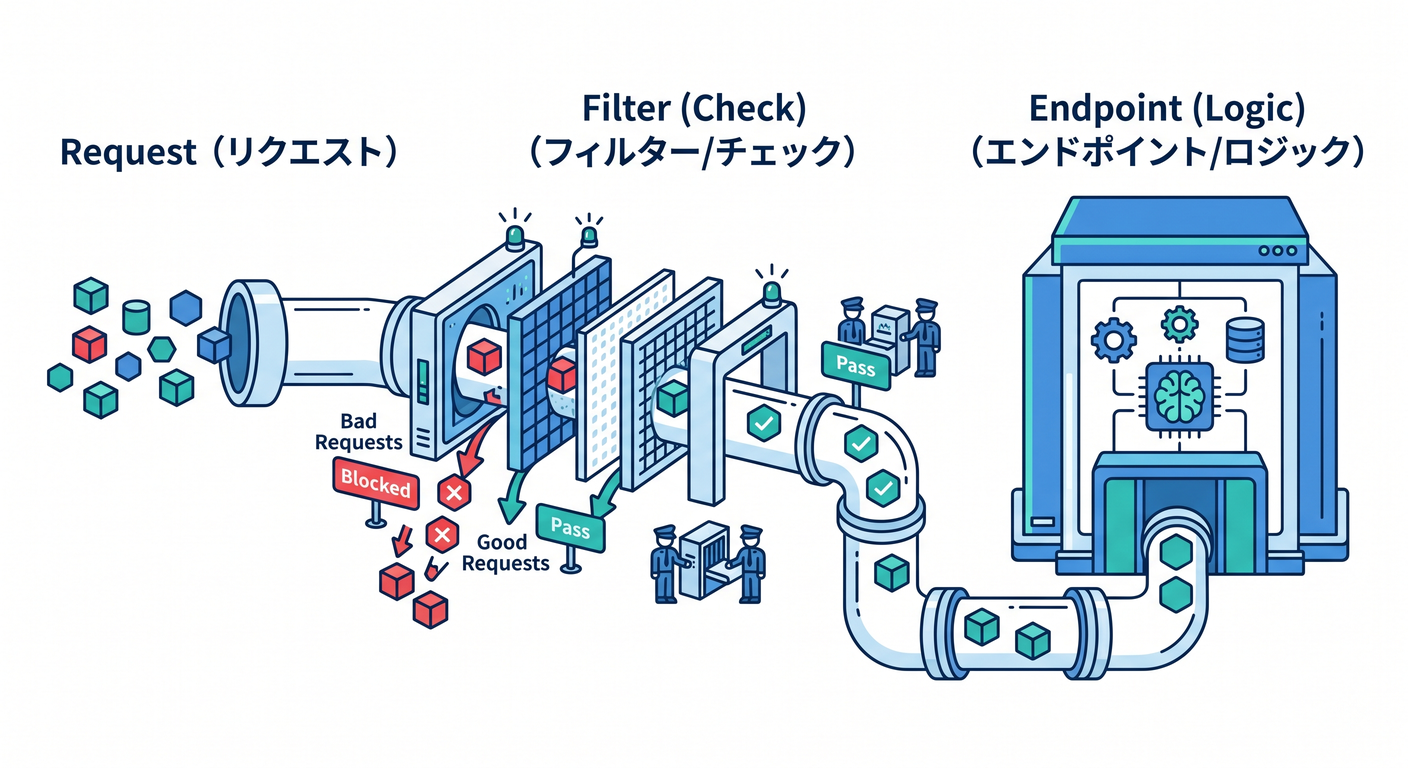
Minimal APIには Filter があるよ〜! 「前後に共通処理を差し込む」「引数をチェックする」みたいな用途にピッタリ😊 (Minimal API filters は公式ドキュメントにあるよ)(Microsoft Learn)
フィルタ👇
// Todo.Presentation/Filters/CreateTodoValidationFilter.cs
using Microsoft.AspNetCore.Http;
using Microsoft.AspNetCore.Routing;
using Todo.Presentation.Dtos;

namespace Todo.Presentation.Filters;

public sealed class CreateTodoValidationFilter : IEndpointFilter
{
    public async ValueTask<object?> InvokeAsync(EndpointFilterInvocationContext context, EndpointFilterDelegate next)
    {
        var req = context.GetArgument<CreateTodoRequest>(0);

        var errors = new Dictionary<string, string[]>(StringComparer.Ordinal);

        if (string.IsNullOrWhiteSpace(req.Title))
            errors["title"] = new[] { "title は必須だよ😊" };

        if (!string.IsNullOrEmpty(req.Title) && req.Title.Length > 50)
            errors["title"] = new[] { "title は50文字以内にしてね🙏" };

        if (errors.Count > 0)
            return Results.ValidationProblem(errors);

        return await next(context);
    }
}
Endpoint側は、こうして もっと薄く できるよ🪶✨
using Todo.Presentation.Filters;

// MapPostの最後にこれを追加
.AddEndpointFilter<CreateTodoValidationFilter>();
これでEndpoint本体はほぼ「渡すだけ」になって気持ちいい😊🎉
6-6. エラーは “入口でHTTP向けに整える” ⚠️📮(ProblemDetails)
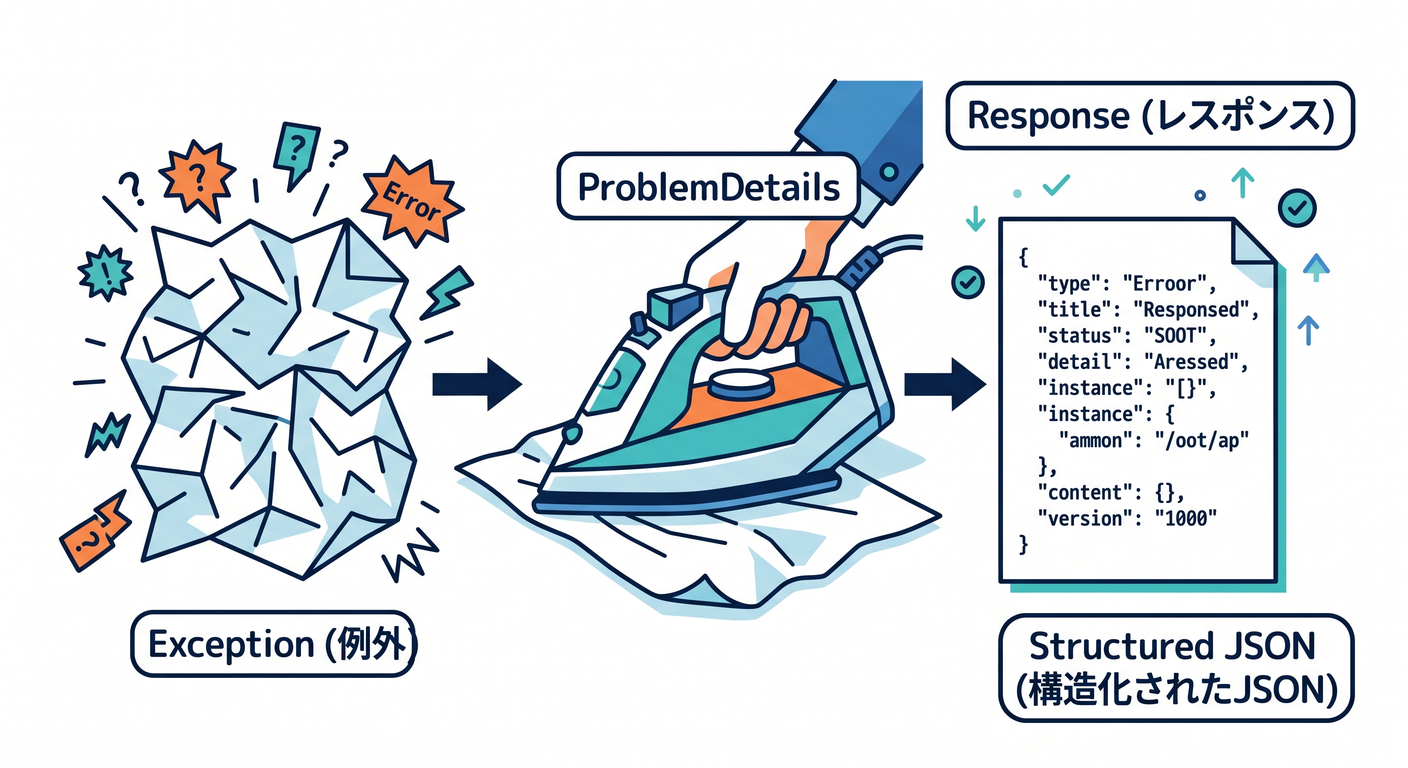
Web APIでよくある悩み👇
- 例外がそのまま500で落ちる💥
- エラー形式がバラバラでフロントが泣く😭
そこで ProblemDetails を使うと整うよ〜✨
AddProblemDetails() でサービス登録して、例外は IExceptionHandler でまとめるのが最近の流れだよ (Microsoft Learn)
この章ではまず「全部ここで受けて最低限整える」でOK👌 Domain/Applicationのエラー分類を本格化するのは後半章で強化できるよ💪🔥
6-7. “薄いPresentation”の鉄板ルール集📌✨
- HTTPのことはPresentationだけ(ステータス/ヘッダー/ProblemDetails)🌐
- DTOはPresentationに置く(Domainに置かない)📦
- 入力チェックは形式まで(業務ルールはUseCase/Domainへ)✅➡️💎
- Mappingは分離(増えると地味に効く)🧩
- キャンセルは流す(
CancellationToken)🧯 - ログは入口で取る(でも業務の判断ログは内側でも)🪵
6-8. よくある事故あるある💥😂(と直し方)
事故①:Controller/Endpointが肥大化🍔
症状:ifが50個、画面都合が混ざる、同じ判定が他にもある 対策:
- 入力形式はFilterへ🪶
- 変換はMapperへ🧩
- 業務ルールはUseCase/Domainへ💎
事故②:Domainモデルをそのまま返しちゃう😇
症状:UIに合わせたプロパティ追加→Domainが汚れる 対策:Response DTO を必ず作る📦✨
事故③:HttpContextを内側に渡す🧪
症状:テストしづらい/層が溶ける 対策:必要情報だけDTOやコマンドに詰め替える📮
6-9. ミニ課題🎒✨(手を動かすと身につく!)
PUT /todos/{id}/doneを追加してみよう✅
- Presentation:ルーティング・id受け取り・レスポンス整形
- UseCase:
MarkDone(id)的なメソッド追加 - ルールはUseCase側に寄せる(例:存在しなければNotFound)
titleのトリムや空白系の扱いを統一しよう🧼
- Presentationで “入力の整形” をするのはOK(形式側の都合だから)😊
6-10. 章末チェックリスト✅🎀
- Endpoint/Controllerが「受け取る→渡す→返す」になってる?🪶
- DTOをDomainに置いてない?📦
- 業務ルールをPresentationに書いてない?🙅♀️
- エラー形式が揃ってる?(ProblemDetailsなど)⚠️
- Mappingの置き場が決まってる?🧩
6-11. AI(Copilot/Codex)に頼るプロンプト例🤖✨
コピペでどうぞ〜😊💕
-
薄さレビュー 「このProgram.cs(Minimal API)のEndpointが太くなってないかレビューして。Presentation層に置くべきでない処理(業務ルール・永続化・ドメイン判断)が混ざってたら具体的に指摘して、Filter/Mapper/UseCaseへ分離する案を出して」
-
DTO設計レビュー 「Request/Response DTOがUI都合に寄りすぎてDomainを汚していないか、境界の観点で改善案を出して」
-
エラー整形レビュー 「ProblemDetailsの設計を、フロントが扱いやすい形(title/detail/instance/errors等)に整える改善案を提案して」
次の第7章では、いよいよ Application層(UseCaseの置き場) をガッツリ作って「UIが薄くなる理由」を体感するよ〜🎮✨